
Notes, Notepad, To-Do Launcher Price Snapshot
Notes, Notepad, To-Do Launcher by AtomApplications is free to download on the Google Play, with no in-app purchases. It holds a 4.2★ rating from 19.0K reviews.
Listing last updated: 2026-02-26. Source: public Google Play data, compiled via the App Pricing Lab methodology.
4.2★
19.0K reviews
1.0M
Installs
Jan 5, 202
Released
2026-02-26
Last Updated
Rankings
| Category | Collection | Rank | Date |
|---|---|---|---|
| PRODUCTIVITY | topselling_free | #21 | 2026-03-10 |
Screenshots


About Notes, Notepad, To-Do Launcher
Jot down thoughts, ideas and important information with Notes Launcher. Swipe right from your home screen to create quick notes or to-do lists, share them with friends and family, add locks to secure sensitive information, and more.
Please note: As a launcher app, the layout of your home screen may change after install. Don’t worry, all your apps are still on your phone - they just may be in a different location. To learn more, please visit our FAQ section: https://notepadhome.app/#faq
With a launcher app, you get the added benefits of:
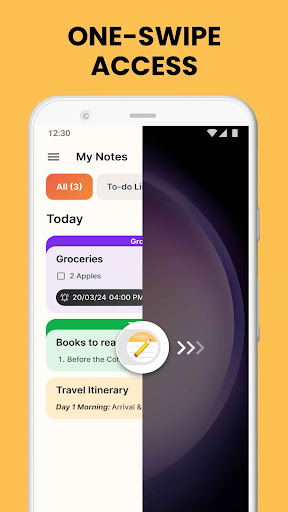
🚀 One-swipe access
Create notes & to-do lists instantly by simply swiping right from your home screen!
📱Home screen widget
See the time, weather, and more, conveniently on your home screen with our customized widget.
🖼️ Wallpaper
Personalize your home or lock screen with a wide selection of beautiful themed wallpapers.
🏠 Home screen shortcut
Use the Notes Launcher shortcut on your home screen to get quick access to your to-do lists.
🔍 Multi-touchpoint search
Apps and web search has never been easier. Search for installed apps or the web (powered by Yahoo) from multiple access points.
Key features:
✓ Note-taking
✓ Text formatting tools
✓ Color-code notes
✓ Lock notes
✓ Categorize
✓ Sort
✓ Find
✓ Share
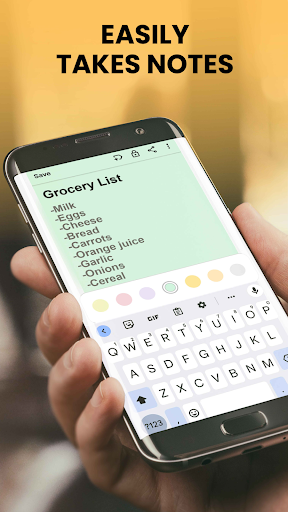
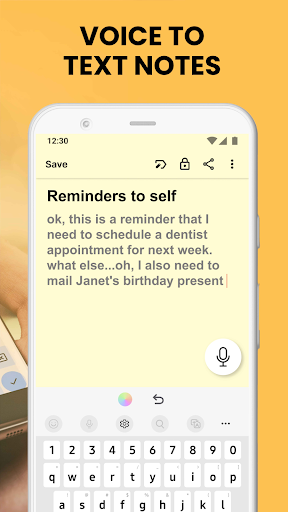
📝Create notes & checklists: Quickly jot down ideas and important information on the go. Make a grocery list, a wish list, or a to-do list, then check off items as you accomplish them.
✨Text formatting tools: Enhance your notes with the rich-text editor. Change font sizes, italicize or underline text, and create bulleted or numbered lists.
🎨 Color-code notes: Choose a note color to easily categorize and prioritize information. Whether it’s managing work tasks or weekend plans, color-coding makes organizing your notes easier.
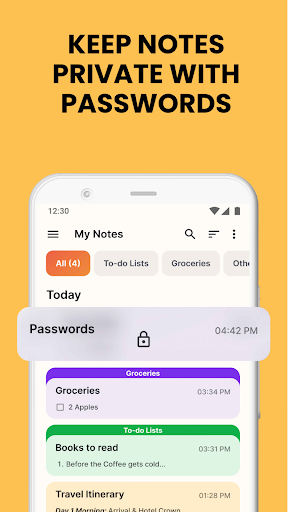
🔐 Lock notes: Secure sensitive information like passwords, bank account details, medical prescriptions and more in a locked note.
🗂️ Categorize: Save notes under custom categories like vacation checklists or emergency contacts. Group related notes together to instantly access them at any time.
🚦 Sort: Use the sorting filter to arrange notes by the date they were modified or in ascending/descending order of creation to easily find what you need.
🕵️ Find: Quickly find what you’re looking for with Notes Launcher’s intuitive search feature. Enter a keyword or phrase in the app’s search bar to quickly locate relevant notes.
🤝 Share: Planning a travel itinerary? Working on a group project? Share your notes with family and friends through email, social media and other messaging apps.
It’s simple, effective, and free to use, helping you stay organized every day. Get started with the Notes Launcher today!
Please write to us should you have any queries or comments about the app, including recommendations for new features. Also, please note that you can uninstall it at any time.
You give your consent to install Notes Launcher from the Google Play™ Store by clicking the butto
Frequently Asked Questions
Is Notes, Notepad, To-Do Launcher free?
Yes, Notes, Notepad, To-Do Launcher is free to download.
What is the rating of Notes, Notepad, To-Do Launcher?
Notes, Notepad, To-Do Launcher has a 4.2 out of 5 star rating based on 19.0K reviews on the Google Play.
Who made Notes, Notepad, To-Do Launcher?
Notes, Notepad, To-Do Launcher was developed by AtomApplications. Visit their website at https://notepadhome.app/.
Developer
Explore More
Related Productivity Apps








Share & Embed
Use these badges on your website or blog to link back to this app's data.
Rating Badge
<a href="https://apppricinglab.com/app/google_play/com.notes.todolist.notebook.checklist.notepad.android"><img src="https://apppricinglab.com/api/badge/rating?store=google_play&app=com.notes.todolist.notebook.checklist.notepad.android" alt="Notes, Notepad, To-Do Launcher rating on App Pricing Lab" /></a>Rank Badge
<a href="https://apppricinglab.com/app/google_play/com.notes.todolist.notebook.checklist.notepad.android"><img src="https://apppricinglab.com/api/badge/rank?store=google_play&app=com.notes.todolist.notebook.checklist.notepad.android" alt="Notes, Notepad, To-Do Launcher ranking on App Pricing Lab" /></a>