
Microsoft Excel: Spreadsheets
▶️ Google PlayProductivityFreeIn-App PurchasesEveryone
4.8★
8.6M reviews
1.0B
Installs
Jan 6, 201
Released
2026-03-09
Last Updated
Rankings
| Category | Collection | Rank | Date |
|---|---|---|---|
| PRODUCTIVITY | topselling_free | #7 | 2026-03-10 |
| PRODUCTIVITY | topgrossing | #23 | 2026-03-10 |
Screenshots


About Microsoft Excel: Spreadsheets
Budgeting, chart creation, data analytics and more – all at your fingertips. The Excel spreadsheet and budgeting app lets you create, view, edit and share files, charts and data. Excel’s built-in file editor lets you manage your finances with on-the-go budget and expense tracking integration. We make it easy to review and analyze data, edit templates, and more.
With Excel you can confidently edit documents, track expenses, and compile charts and data . Create charts directly from your phone for convenient data analysis, accounting, and financial management. Access to spreadsheets, pivot tables and chart makers make budgeting in Excel easy.
Make spreadsheets and data files with robust formatting tools and features that boost your productivity. Build charts and sheets that meet specific needs with Excel’s wide array of worksheet resources.
Spreadsheets, business collaboration, charts and data analysis tools all on your phone with Microsoft Excel.
Microsoft Excel Features:
Spreadsheets & Calculations
• Create charts, budgets, task lists, accounting & financial analysis with Excel's modern templates.
• Use an accounting calculator, data analysis tools & familiar formulas to run calculations on spreadsheets.
• Workbook sheets and charts are easier to read and use with rich features & formatting options.
• Spreadsheet & chart features, formats & formulas operate the same way on any device.
Accounting, Budget & Expense Tracking
• Budget Template: Spreadsheets & charts help calculate budget needs.
• Budget Planner: Budget templates & tools to help you drill down to your finance needs.
• Budget Tracker: Track expenses & save money.
• Accounting app: Use as a tax calculator for estimates, personal finances & more.
Data Analysis
• Chart maker: Annotate, edit & insert charts that bring data to life.
• Data analysis: Add & edit chart labels to highlight key insights.
• Budget tracker: Track expenses with a personal budget template.
• Pivot Charts and spreadsheet visualization tools offer easily digestible formats.
Review and Edit
• File editor: Edit documents, charts and data from anywhere.
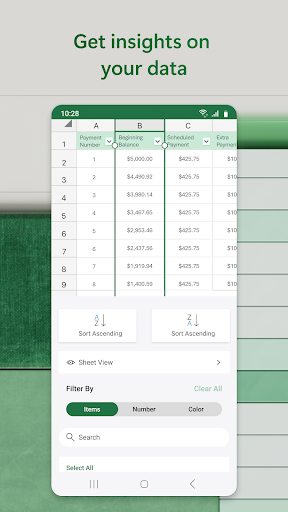
• Data analysis features like sort & filter columns.
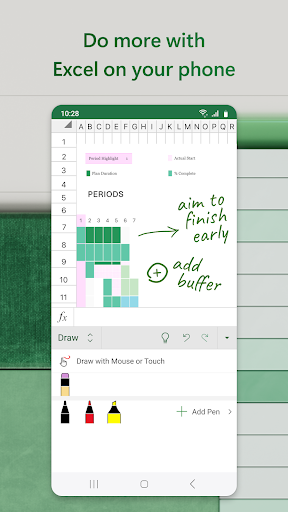
• Annotate charts, highlight parts of worksheets, create shapes & write equations with the draw tab on devices with touch capabilities.
Collaborate and Work Anywhere
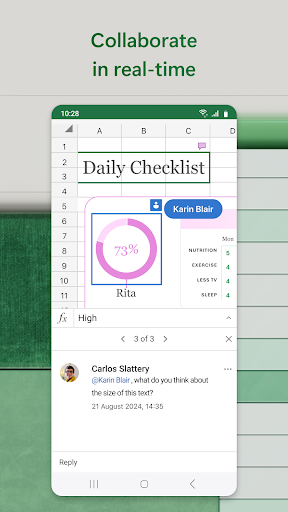
• Share files & Excel sheets in a few taps to invite others to edit, view or leave comments.
• Edit & copy your worksheet in the body of an email or attach a link to your workbook.
Microsoft Excel is your all-in-one expense manager, chart maker, budget planner, and more. Get more done today with extensive spreadsheet tools to enhance your productivity.
REQUIREMENTS:
1 GB RAM or above
To create or edit documents, sign in with a free Microsoft account on devices with a screen size smaller than 10.1 inches.
Unlock the full Microsoft 365 experience with a qualifying Microsoft 365 subscription for your phone, tablet, PC and Mac.
Microsoft 365 subscr
Frequently Asked Questions
Is Microsoft Excel: Spreadsheets free?
Yes, Microsoft Excel: Spreadsheets is free to download. It offers in-app purchases.
What is the rating of Microsoft Excel: Spreadsheets?
Microsoft Excel: Spreadsheets has a 4.8 out of 5 star rating based on 8.6M reviews on the Google Play.
Who made Microsoft Excel: Spreadsheets?
Microsoft Excel: Spreadsheets was developed by Microsoft Corporation. Visit their website at https://products.office.com.







