
Microsoft OneNote: Save Notes Price Snapshot
Microsoft OneNote: Save Notes by Microsoft Corporation is free to download on the Google Play, with no in-app purchases. It holds a 4.6★ rating from 1.5M reviews.
Listing last updated: 2026-03-08. Source: public Google Play data, compiled via the App Pricing Lab methodology.
4.6★
1.5M reviews
500.0M
Installs
Feb 7, 201
Released
2026-03-08
Last Updated
Rankings
| Category | Collection | Rank | Date |
|---|---|---|---|
| PRODUCTIVITY | topselling_free | #104 | 2026-03-10 |
Screenshots


About Microsoft OneNote: Save Notes
Organize your thoughts, discoveries, and ideas and simplify planning important moments in your life with your digital notepad. Take notes on your phone and sync them across all your devices with Microsoft OneNote.
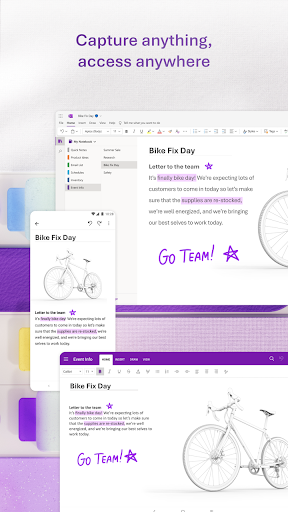
With OneNote, you can plan a big event, seize a moment of inspiration to create something new, and track your list of errands that are too important to forget. Take notes, write memos and make a digital sketchbook right on your phone. Capture pictures and add images to your notes.
Sync notes across your devices to access them anytime, anywhere. Save ideas and check your list at home, in the office, or on the go across your devices. Search your notes quickly and effortlessly.
Take notes, share ideas, organize and collaborate with Microsoft OneNote today.
Homepage & Quick Capture Bar
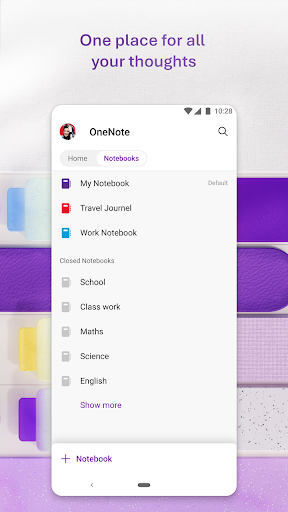
• Find all notes from your connected accounts in one place to easily create, find, & act on your notes
• Now with Samsung Notes integration
• Capture text, voice, ink or images to your notepad with Quick Capture
• Capture notes in ink. Click the pen button & write down your thoughts
Scan Pictures & Extract Text
• Notes Scanner: Scan documents, pictures, or files to extract notes
• Capture images to extract text from documents, files, & more
• Apply different filters to change colors, add ink, crop images & more
Audio Notes
• Take accurate voice notes with voice dictation
• Click the Mic button to begin recording, then click it again to end recording & save the file
• Dictate notes in 27 languages (note some languages are in preview) & use Auto-Punctutation to automatically format your notes
Capture Content & Get Organized
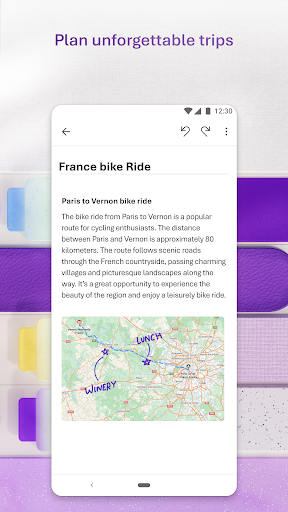
• Write notes, draw & clip things from the web to add to your notebook
• Use OneNote’s flexible canvas to place content anywhere you want
Take Notes & Achieve More
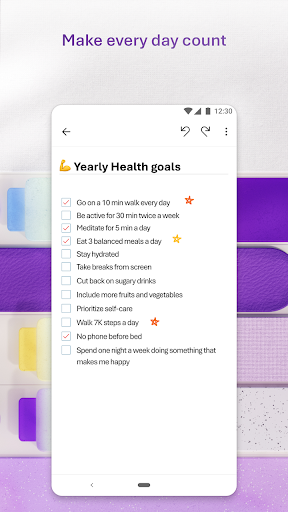
• Organize your notes using to-do lists, follow up items, marks for what’s important & custom labels
• Use OneNote as a notebook, journal or a notepad
Save Ideas At The Speed of Light
• OneNote syncs your notes across all devices & lets multiple people work on the content together, at the same time
• Notepad badge hovers on screen & lets you quickly write your thoughts down any time
• Sticky notes are helpful for quick memos
Collaborate & Share Notes
• Take meeting notes, brainstorm projects, & draw attention to important points
• Take notes & save ideas across your favorite devices, no matter what device your team likes to use
• Search your notes with a fast & powerful search function
Better Together With Microsoft Office
• OneNote is part of the Office family & works great with your favorite apps, such as Excel or Word, to help you do more
Write notes, save ideas & keep up with your to-do list with Microsoft OneNote.
You can find answers to frequently asked questions about OneNote for Android at http://aka.ms/OnenoteAndroidFAQ
Requirements:
• Requires Android OS 9.0 or later.
• A free Microsoft account is required to use OneNote.
• OneNote opens existing notebooks
Frequently Asked Questions
Is Microsoft OneNote: Save Notes free?
Yes, Microsoft OneNote: Save Notes is free to download.
What is the rating of Microsoft OneNote: Save Notes?
Microsoft OneNote: Save Notes has a 4.6 out of 5 star rating based on 1.5M reviews on the Google Play.
Who made Microsoft OneNote: Save Notes?
Microsoft OneNote: Save Notes was developed by Microsoft Corporation. Visit their website at http://www.onenote.com.
Developer
Explore More
Related Productivity Apps








Share & Embed
Use these badges on your website or blog to link back to this app's data.
Rating Badge
<a href="https://apppricinglab.com/app/google_play/com.microsoft.office.onenote"><img src="https://apppricinglab.com/api/badge/rating?store=google_play&app=com.microsoft.office.onenote" alt="Microsoft OneNote: Save Notes rating on App Pricing Lab" /></a>Rank Badge
<a href="https://apppricinglab.com/app/google_play/com.microsoft.office.onenote"><img src="https://apppricinglab.com/api/badge/rank?store=google_play&app=com.microsoft.office.onenote" alt="Microsoft OneNote: Save Notes ranking on App Pricing Lab" /></a>