Rotation Control Pro Price Snapshot
Rotation Control Pro by CloudEx Inc. is priced at $3.49 on the Google Play, with no in-app purchases. It holds a 4.2★ rating from 7.3K reviews.
Listing last updated: 2025-11-07. Source: public Google Play data, compiled via the App Pricing Lab methodology.
4.2★
7.3K reviews
100.0K
Installs
Oct 26, 20
Released
2025-11-07
Last Updated
Rankings
| Category | Collection | Rank | Date |
|---|---|---|---|
| PERSONALIZATION | topselling_paid | #195 | 2026-03-10 |
Screenshots
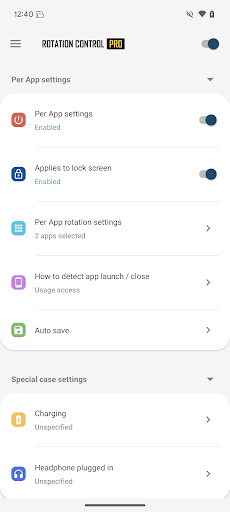
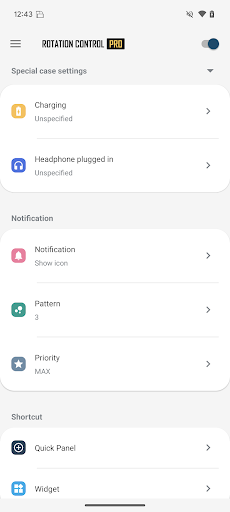

About Rotation Control Pro
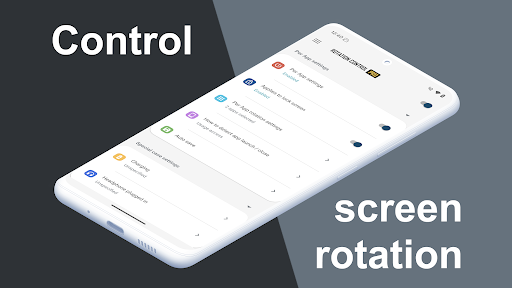
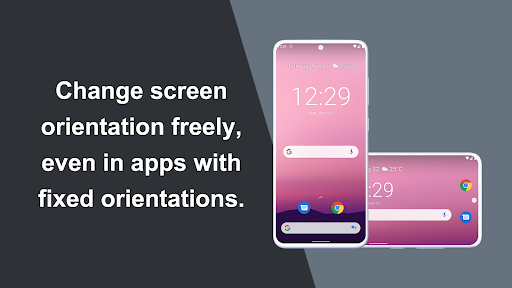
Can force a particular rotation on apps with fixed screen orientation.
A simple design with functions that are easy to understand and use.
=-=-=-=-=-=-=-=-=-=-=-=-=-=-=-=
Recommended for people who:
- Want to use their smartphone home screen in landscape mode
- Want to use landscape mode games or video apps in portrait mode
- Want to always use their tablet in landscape mode
- Want to switch between fixed orientations with one tap via the status bar
=-=-=-=-=-=-=-=-=-=-=-=-=-=-=-=
Features
►Rotation settings
Can configure the rotation of the screen.
►Notification settings
Control the rotation of the screen easily from the notification bar.
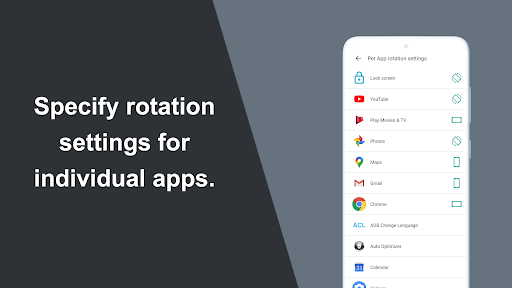
►Per App rotation settings
Can configure different rotations for each apps.
Rotates to your preset screen orientation upon starting the application.
Returns to the original screen orientation on closing the application.
►Special case settings
Detects when chargers or earphones are connected and rotates to your preset screen orientation.
Returns to the original screen orientation when they are removed.
You can check this app's functions and operations with a free trial.
Please check the functions and operations by free trial before you buy.
https://play.google.com/store/apps/details?id=jp.snowlife01.android.rotationcontrol
Rotation
Automatic : the screen rotates based on a sensor.
Landscape : the screen is fixed to a horizontal orientation.
Landscape (Reverse) : the screen is fixed horizontal upside down.
Landscape (Auto) : rotates automatically to a horizontal orientation based on a sensor.
Portrait : the screen is fixed to a vertical orientation.
Portrait (Reverse) : the screen is fixed vertical upside down.
Portrait (Auto) : rotates automatically to a vertical orientation based on a sensor.
* Some of the direction of rotation may not correspond depending on device specifications. This is not an issue with the app.
【For OPPO users】
This app needs to run a service in the background to detect which app has started.
OPPO devices require special settings to operate app services in the background due to their unique specifications. (If you do not do this, services running in the background will be forcibly terminated, and the app will not operate properly.)
Please drag this app a little down from the recent apps history and lock it.
If you do not know how to set, please search for "OPPO task lock".
Frequently Asked Questions
Is Rotation Control Pro free?
No, Rotation Control Pro costs $3.49.
What is the rating of Rotation Control Pro?
Rotation Control Pro has a 4.2 out of 5 star rating based on 7.3K reviews on the Google Play.
Who made Rotation Control Pro?
Rotation Control Pro was developed by CloudEx Inc..
Developer
Explore More
Related Personalization Apps







Share & Embed
Use these badges on your website or blog to link back to this app's data.
Rating Badge
<a href="https://apppricinglab.com/app/google_play/jp.snowlife01.android.rotationcontrolpro"><img src="https://apppricinglab.com/api/badge/rating?store=google_play&app=jp.snowlife01.android.rotationcontrolpro" alt="Rotation Control Pro rating on App Pricing Lab" /></a>Rank Badge
<a href="https://apppricinglab.com/app/google_play/jp.snowlife01.android.rotationcontrolpro"><img src="https://apppricinglab.com/api/badge/rank?store=google_play&app=jp.snowlife01.android.rotationcontrolpro" alt="Rotation Control Pro ranking on App Pricing Lab" /></a>