
WritePDF for iPhone Price Snapshot
WritePDF for iPhone by EuroSmartz Ltd is priced at $2.99 on the Apple App Store, with no in-app purchases. It holds a 4.6★ rating from 46 reviews.
Listing last updated: 2025-10-01. Source: public Apple App Store data, compiled via the App Pricing Lab methodology.
4.6★
46 reviews
2012-05-02
Released
2025-10-01
Last Updated
Rankings
| Category | Collection | Rank | Date |
|---|---|---|---|
| BUSINESS | top-paid | #105 | 2026-03-12 |
Screenshots

About WritePDF for iPhone
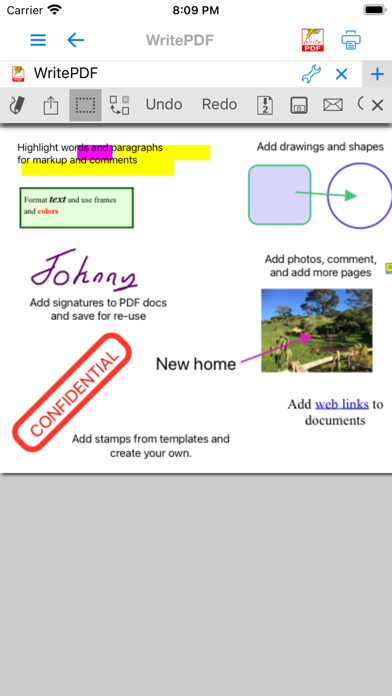
WritePDF for the iPhone is more than just a common annotation tool, it is a powerful PDF modification/printing tool that is usually reserved for computers. Move beyond ordinary PDF viewing, form filling, PDF modification & annotation. WritePDF is the first app that brings together both ease of use and the sophistication needed for managing PDFs, word files, spreadsheets and many other documents on the iPhone. WritePDF is also the first app to be fully compatible with PDF readers on Mac & PC, any changes made to a PDF on an iPhone will be reflected when opened on a computer and vice versa. With the most powerful PDF modification and viewing engine ever made, WritePDF stands heads and shoulders above the rest!
WritePDF is created & bought to you by one of the top business app companies - with years of iOS app experience from 2008, EuroSmartz is unrivaled when it comes to apps for use in business.
- "WritePDF is by far the most powerful app of it's kind available on the app store today"
- "I can finally merge non PDF documents into a PDF and leave notes for all of my colleagues"
- "Form filling is made so easy with WritePDF, I have just applied for a new bank account using my iPhone"
Main Features
√ Modifying PDFs
> Add arrows, circles, squares and other shapes to a PDF
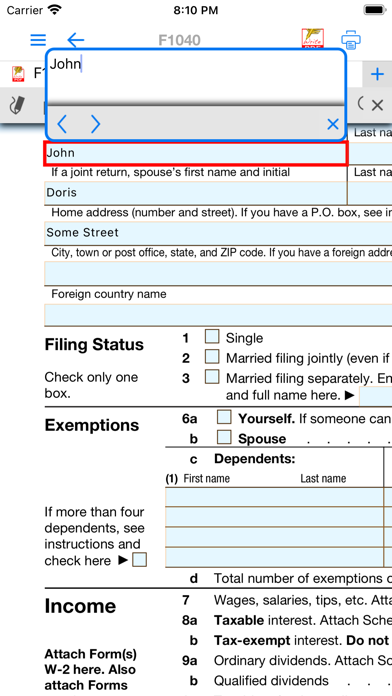
> Fill in PDF forms & add text
> Use Highlighter to highlight single words or entire sections
> Add web page links to words or sections of text
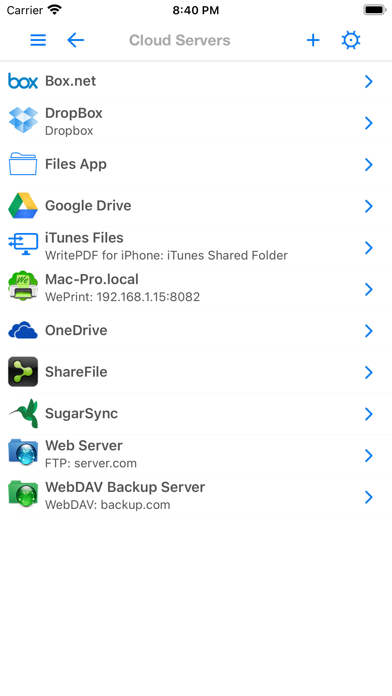
> Transfer PDFs to & from other apps using "Open in.."
> Fully compatible with most PC, Mac & iOS App PDF viewers, shows all changes
> Insert pictures to a PDF
> Quickly & seamlessly transfer PDFs or files from Pages, Numbers or Keynote using Open in
√ Global Search
> Search for keywords or phrases in ALL files stored within WPDF without opening them
> Search results displayed as tapable links
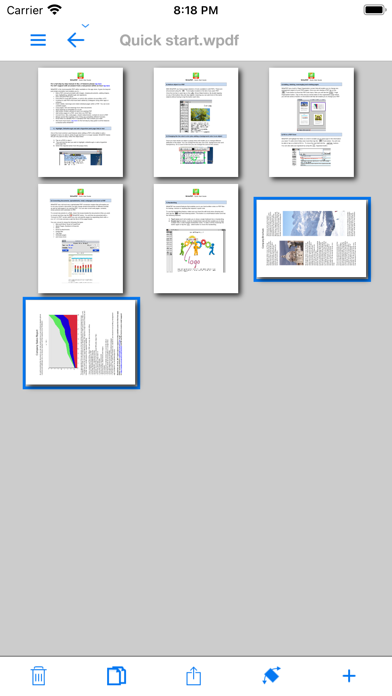
√ PDF Page Organization
> Move, delete or add pages
> Add, delete, rotate, copy/paste & rearrange pages
> Add selected pages to an existing PDF from docs, spreadsheets or other files
> Drag deleted pages back into document
√ Form Filling
> Easily fill in PDF forms, even with multiple fields and boxes
> Save your signature in the app and reuse when needed
> Email/print completed form right from within the app
√ PDF Conversion & Merging
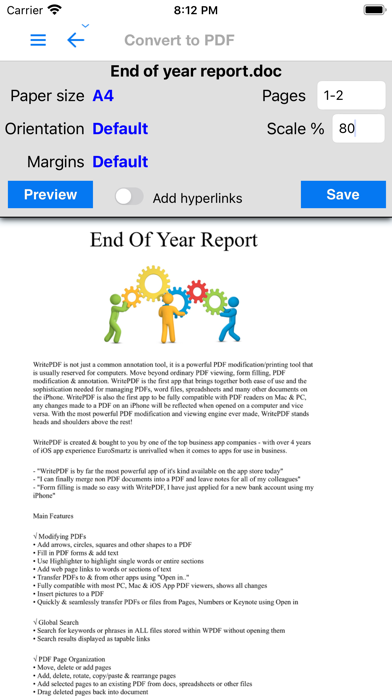
> View/Convert/Merge Microsoft Office files, Photos, PDFs, Contacts, Web Pages, Email & Email attachments as well as many more file formats
> Create a single PDF from multiple files even if they are a different format (i.e. merge a Word file with a Pages document with an existing PDF etc)
> Save Web pages as PDFs
> Print or convert PDFs from other apps using Open in or other methods
√ Full featured Printing
> Print direct to most existing WiFi or shared printers, or use the free printer software for ALL printers.
> Print from Pages, Numbers or Keynote extremely quickly & easily without the need for an AirPrint printer using Open in
> Print to all printers via your Mac or PC
> Print remotely via 3G/EDGE or Googl
Frequently Asked Questions
Is WritePDF for iPhone free?
No, WritePDF for iPhone costs $2.99.
What is the rating of WritePDF for iPhone?
WritePDF for iPhone has a 4.6 out of 5 star rating based on 46 reviews on the Apple App Store.
Who made WritePDF for iPhone?
WritePDF for iPhone was developed by EuroSmartz Ltd. Visit their website at https://mobile.eurosmartz.com/products/writepdf.html?src=itunes.
Developer
Explore More
Related Business Apps





Share & Embed
Use these badges on your website or blog to link back to this app's data.
Rating Badge
<a href="https://apppricinglab.com/app/apple/460013304"><img src="https://apppricinglab.com/api/badge/rating?store=apple&app=460013304" alt="WritePDF for iPhone rating on App Pricing Lab" /></a>Rank Badge
<a href="https://apppricinglab.com/app/apple/460013304"><img src="https://apppricinglab.com/api/badge/rank?store=apple&app=460013304" alt="WritePDF for iPhone ranking on App Pricing Lab" /></a>