
iCircuit Price Snapshot
iCircuit by Krueger Systems, Inc. is priced at $12.99 on the Apple App Store, with no in-app purchases. It holds a 3.9★ rating from 131 reviews.
Listing last updated: 2026-02-28. Source: public Apple App Store data, compiled via the App Pricing Lab methodology.
3.9★
131 reviews
2010-07-29
Released
2026-02-28
Last Updated
Rankings
| Category | Collection | Rank | Date |
|---|---|---|---|
| PRODUCTIVITY | top-paid-ipad | #59 | 2026-03-12 |
| PRODUCTIVITY | top-paid | #134 | 2026-03-12 |
Screenshots

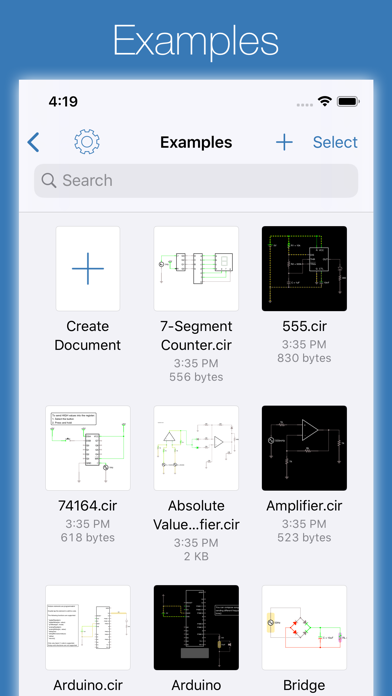
About iCircuit
iCircuit is the premier iPhone and iPad app for designing, simulating, and learning analog and digital electronics. Its advanced simulation engine provides real-time, always-on analysis so your circuits stay powered and live, just like working with real components.
Use it like a CAD tool: add components, wire them up, and set their properties. But iCircuit is unlike typical CAD apps because it is always simulating. You do not stop to take a measurement or spend time configuring reports. Instead, you just play with the circuit as you normally would, with the power on.
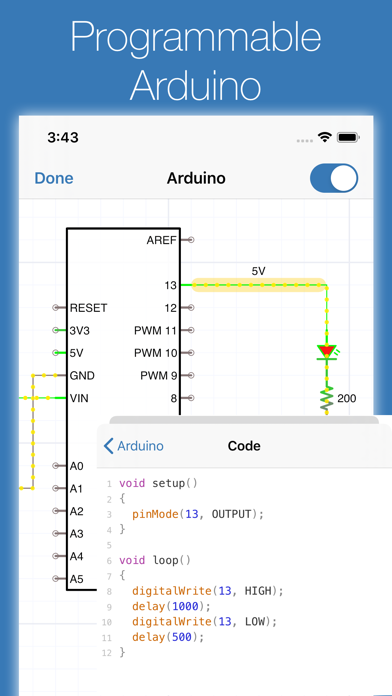
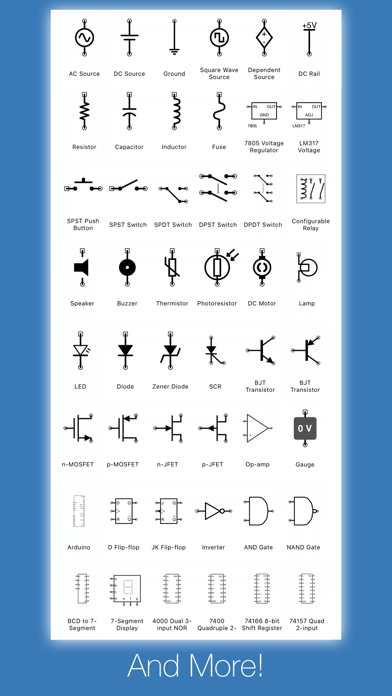
Build circuits with over 300 components, from simple resistors and LEDs to programmable Arduinos (Uno, Nano, Mega, ESP8266, ESP32), PIC microcontrollers, and 60 4000/7400-series digital ICs (more available with Pro). Connect elements, adjust values, and instantly see the results.
BUILT-IN TEST EQUIPMENT
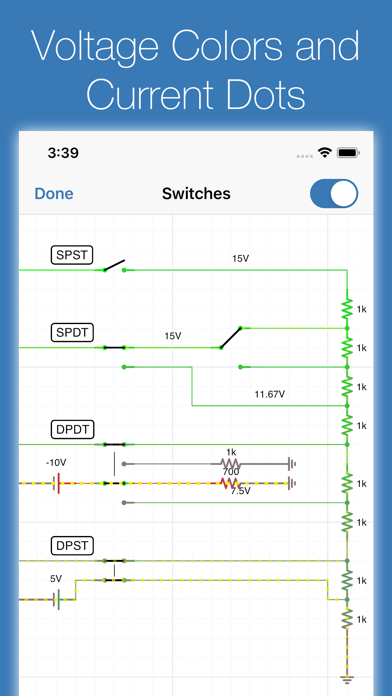
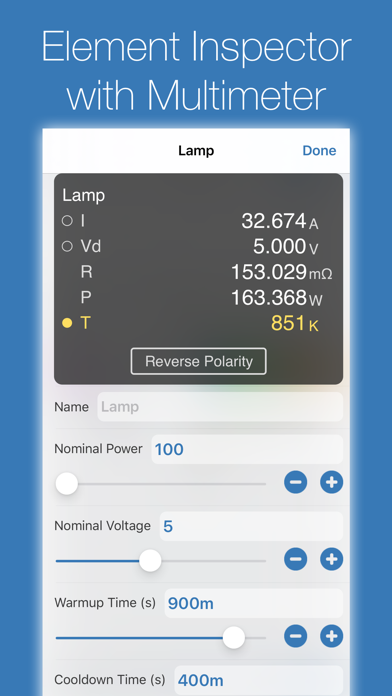
• Multimeter: Probe any point to read voltage, current, and power
• Oscilloscope: Track multiple signals with touch-controlled time scale, stacked/unstacked views, FFT analysis, and Bode plots
• Gauges: Visualize voltages, currents, and frequencies directly in your circuit
• Signal generators and configurable sources
EXTENSIVE COMPONENT LIBRARY
• Programmable Arduinos (Uno, Nano, Mega, ESP8266, ESP32)
• Programmable PIC microcontrollers (assembly and HEX files, more available with Pro)
• Power: Voltage regulators (78xx, LM317), sources, dependent sources, power jacks, and simulated antennas
• Analog: Resistors, capacitors, inductors, diodes, BJTs, MOSFETs, thermistors, triodes, and tetrodes
• Digital: Logic gates (AND, OR, NAND, NOR, XOR), JK and D flip-flops, and 60 4000/7400-series ICs (180+ available with Pro)
• ADCs and DACs
• Sensors and displays: LEDs, 7-segment, NeoPixels, matrix displays, thermistors
• Electromechanical: Motors, servos, SPST/SPDT and DPST/DPDT switches, push buttons, relays, and speakers
CREATE CUSTOM ELEMENTS
Build sub-circuits and custom elements to componentize your designs and create reusable modules. Share your custom elements with others via the iCircuit Gallery.
AUDIO SIMULATION
Hear your circuits. Speakers, buzzers, and microphones produce real audio output.
Perfect for students learning electronics, hobbyists prototyping projects, and engineers validating designs, all without burning out a single component.
ABOUT ICIRCUIT PRO (OPTIONAL)
iCircuit is a complete app with a one-time purchase. iCircuit Pro is optional and adds extra components (including more PICs and a larger 4000/7400 IC library) and helps fund ongoing development. Pro is not required for core simulation or everyday circuit design.
Terms of Use: https://www.apple.com/legal/internet-services/itunes/dev/stdeula/
Frequently Asked Questions
Is iCircuit free?
No, iCircuit costs $12.99.
What is the rating of iCircuit?
iCircuit has a 3.9 out of 5 star rating based on 131 reviews on the Apple App Store.
Who made iCircuit?
iCircuit was developed by Krueger Systems, Inc.. Visit their website at https://icircuitapp.com.
Developer
Explore More
Related Productivity Apps



Share & Embed
Use these badges on your website or blog to link back to this app's data.
Rating Badge
<a href="https://apppricinglab.com/app/apple/383359044"><img src="https://apppricinglab.com/api/badge/rating?store=apple&app=383359044" alt="iCircuit rating on App Pricing Lab" /></a>Rank Badge
<a href="https://apppricinglab.com/app/apple/383359044"><img src="https://apppricinglab.com/api/badge/rank?store=apple&app=383359044" alt="iCircuit ranking on App Pricing Lab" /></a>