
Docker Server Admin Price Snapshot
Docker Server Admin by 婉媚 邵 is free to download on the Apple App Store, with no in-app purchases. It holds a 4.7★ rating from 137 reviews.
Listing last updated: 2026-01-04. Source: public Apple App Store data, compiled via the App Pricing Lab methodology.
4.7★
137 reviews
2021-11-26
Released
2026-01-04
Last Updated
Rankings
| Category | Collection | Rank | Date |
|---|---|---|---|
| DEVELOPER_TOOLS | top-grossing-ipad | #37 | 2026-03-12 |
| DEVELOPER_TOOLS | top-free-ipad | #117 | 2026-03-12 |
| DEVELOPER_TOOLS | top-grossing | #125 | 2026-03-12 |
| DEVELOPER_TOOLS | top-free | #153 | 2026-03-12 |
Screenshots
About Docker Server Admin
Docker Server Admin – Comprehensive Docker and Linux Host Management. Monitoring and management of Docker containers, images, and Linux hosts through a secure SSH connection.
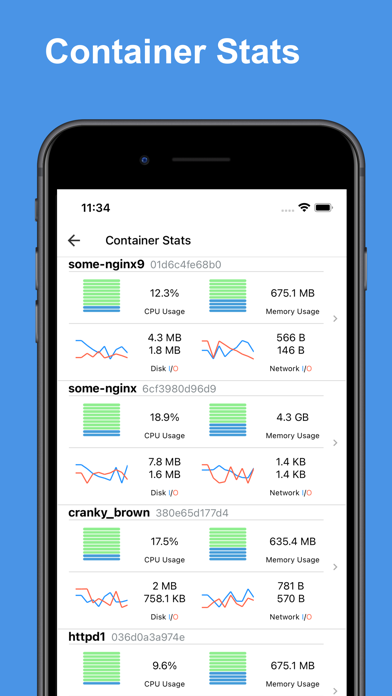
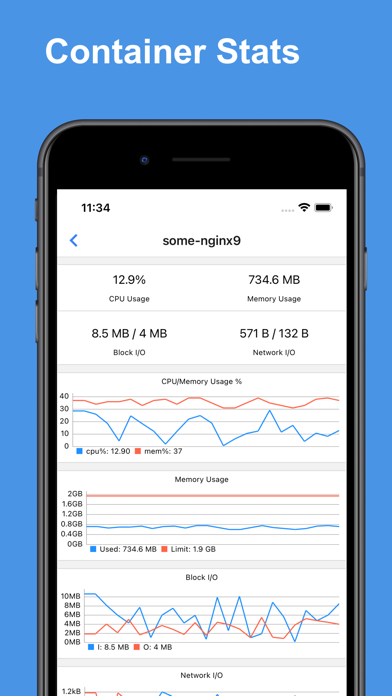
Docker Container Stats. Gain valuable insights into your Docker containers with detailed statistics:
* CPU Usage: Visualize real-time CPU data with comprehensive charts.
* Memory Usage: Track memory consumption with intuitive graphical representations.
* Disk I/O: Monitor disk read/write operations through detailed charts.
* Network I/O: Analyze network traffic with line charts showing data transfer rates.
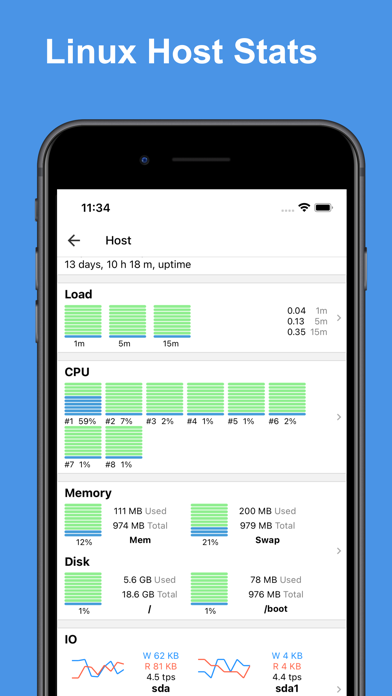
Linux Host Stats Dashboard. Keep your Linux hosts in check with a robust stats dashboard:
* Load Averages: View load averages over 1 minute, 5 minutes, and 15 minutes.
* CPU Load: Access charts displaying overall and per-core CPU load.
* Memory, Swap & Disk Usage: Monitor memory, swap, and disk utilization in real-time.
* Disk I/O: Get insights into disk transactions per second and read/write rates.
* Network I/O: Track transmission (TX) and reception (RX) rates for comprehensive network monitoring.
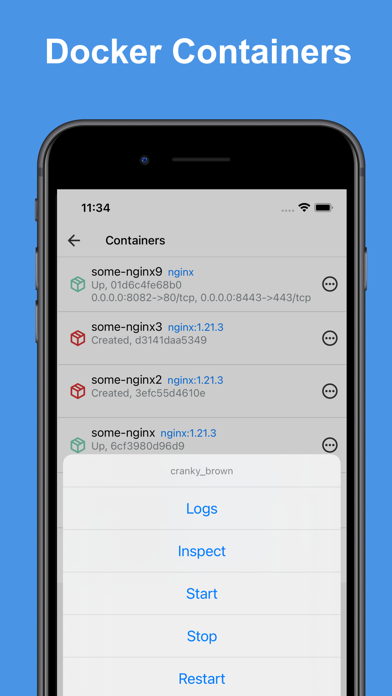
Docker Container Management. Easily manage your Docker containers with a user-friendly interface:
* Container Overview: View a list of containers with names, IDs, statuses, and port mappings.
* Container Control: Start, stop, restart, or remove containers as needed.
* Inspect & Logs: Inspect container details and access logs for troubleshooting.
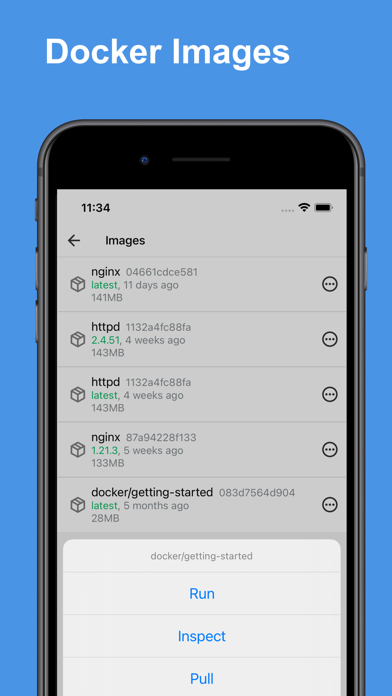
Docker Image Management. Manage your Docker images with powerful tools:
* Image Overview: Access a list of images, including names, IDs, and versions.
* Image Control: Run containers from images, inspect image details, pull new images, or delete unwanted ones.
SSH Terminal: The built-in SSH client offers full access to your host system's command line, empowering you to perform administrative tasks remotely:
* Jump Host & Proxy Support: Connect securely via SSH jump hosts or SOCKS5 proxies, enabling you to manage servers in layered network environments.
* Interactive Terminal: Experience a fully interactive terminal that supports real-time command execution, run complex scripts and commands with ease.
* Command Management: Benefit from features such as command snippets, making it easy to reuse previous commands.
* Copy and Paste Functionality: Quickly copy and paste text between your device and the terminal, simplifying the workflow when working with scripts or configuration files.
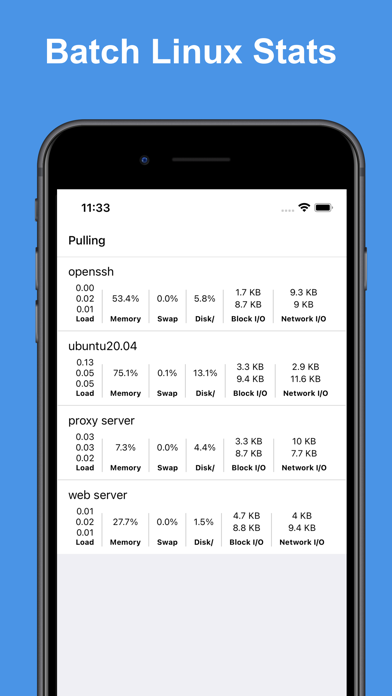
* Startup & Batch Snippets: Automate your routine tasks with predefined startup snippets or execute batch commands across multiple sessions, saving time and increasing productivity.
* Session Persistence: Keep your sessions active for long-running tasks, allowing you to disconnect and reconnect without losing your place.
SFTP Explorer: Efficiently manage files on your server:
* File & Directory Management: Upload, download, edit, move, rename, and delete files easily.
* Streamlined Workflow: Perform operations on files and folders effortlessly, ensuring
Frequently Asked Questions
Is Docker Server Admin free?
Yes, Docker Server Admin is free to download.
What is the rating of Docker Server Admin?
Docker Server Admin has a 4.7 out of 5 star rating based on 137 reviews on the Apple App Store.
Who made Docker Server Admin?
Docker Server Admin was developed by 婉媚 邵. Visit their website at https://septudio.com.
Developer
Explore More
Related Developer Tools Apps





Share & Embed
Use these badges on your website or blog to link back to this app's data.
Rating Badge
<a href="https://apppricinglab.com/app/apple/1591150334"><img src="https://apppricinglab.com/api/badge/rating?store=apple&app=1591150334" alt="Docker Server Admin rating on App Pricing Lab" /></a>Rank Badge
<a href="https://apppricinglab.com/app/apple/1591150334"><img src="https://apppricinglab.com/api/badge/rank?store=apple&app=1591150334" alt="Docker Server Admin ranking on App Pricing Lab" /></a>