
VectorPaint Price Snapshot
VectorPaint by Anyi County Bingzhiyi Trading Co., Ltd. is priced at $2.00 on the Apple App Store, with no in-app purchases.
Listing last updated: 2025-09-19. Source: public Apple App Store data, compiled via the App Pricing Lab methodology.
2021-10-17
Released
2025-09-19
Last Updated
Rankings
| Category | Collection | Rank | Date |
|---|---|---|---|
| GRAPHICS_AND_DESIGN | top-paid | #167 | 2026-03-12 |
| GRAPHICS_AND_DESIGN | top-paid-ipad | #176 | 2026-03-12 |
Screenshots
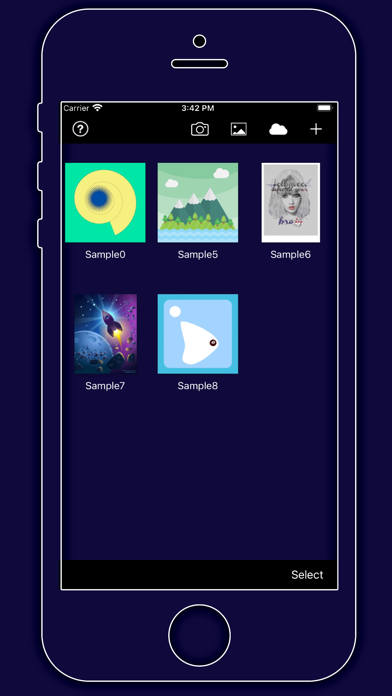
About VectorPaint
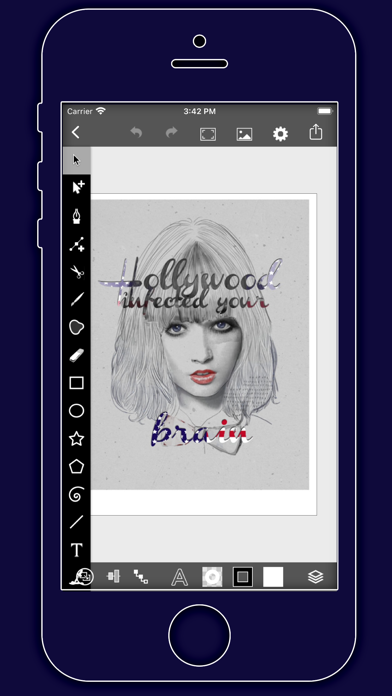
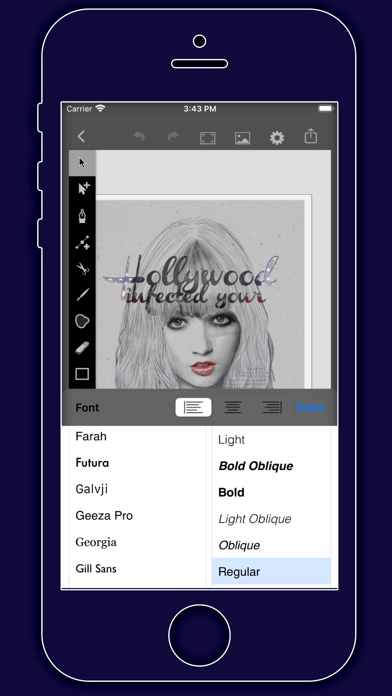
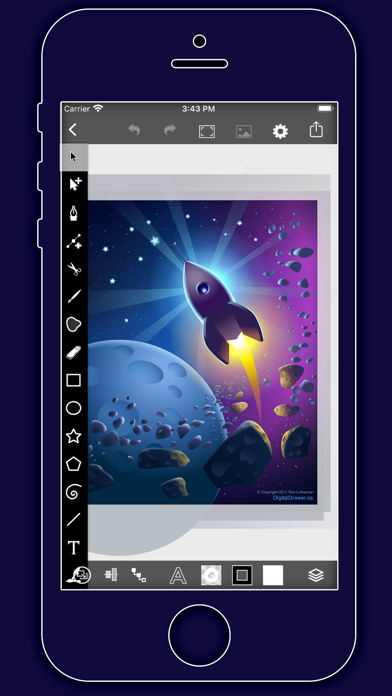
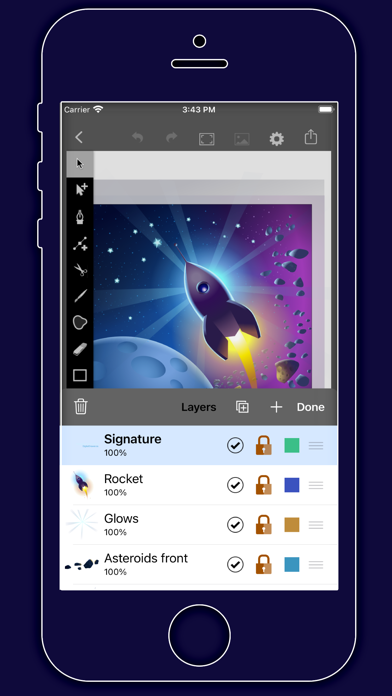
VectorPaint is a vector illustration app designed for IOS inspired by desktop class illustrator programms and powered by Metal, so Render times are up to 10x faster.
[Gallery]
The Gallery displays a thumbnail for each of your drawings. Tap a thumbnail to open it for viewing or editing. Tap the title below the thumbnail to enter a new title.
Tap the + button in the upper right corner of the screen to create a new drawing.
[Exporting]
Tap Select to enter selection mode.
In selection mode, tap on thumbnails to select them (or deselect them). When one or more drawings are selected, tap Email to email them.
Tap the Trash button to delete the selected drawings.
Tap Done to exit selection mode.
[Drawing]
Use the Edit menu to cut, copy, paste, delete, and alter the selection.
Use the Arrange menu to move objects backwards and forwards in the stack, group and ungroup objects, distribute objects, and align objects.
Use the Path menu to add anchors, remove anchors, outline strokes, join paths, combine paths, make masks, and place text on a path.
[Settings]
Use the Settings panel to turn the grid on and off, control the grid spacing, and indicate whether you want drawn objects to snap to the grid, snap to points in existing paths, or snap to the edges of existing paths. You can also turn rulers on and off, change the units of your drawing, and modify the dimensions of your drawing.
When Isolate Active Layer is enabled, you can only edit the active layer. The other layers in your drawing will be partially hidden. This makes it easy to edit the content of one layer without accidentally touching something in another layer.
When Outline Mode is enabled, you can only see the outlines of the objects in your drawing. This makes it easier to select objects that are obscured by other objects. It also significantly reduces rendering time for complex drawings.
[Zooming]
Use the standard iOS pinch gesture to zoom in and out. Once you’ve started a pinch gesture, you can lift one finger to move the canvas around without zooming.
If your drawing units are set to pixels, VectorPaint displays the drawing at actual pixel size when the zoom level is 100% (as indicated in the navigation bar).
If you’re using units that map to a physical measurement (inches, centimeters, etc.), VectorPaint displays the drawing at print size when the zoom level is 100%.
[Tools]
Tool PaletteVectorPaint provides a number of tools for creating and modifying your drawing.
The tool palette floats above the canvas. Drag it to move it around the screen. Flick it out of your way if necessary.
You can modify the behavior of many tools by holding down a second finger on the canvas after you start dragging. If you apply the second touch before you start dragging, you will zoom the canvas.
VectorPaint provides a number of tools for creating and modifying your drawing.
The tool palette floats above the canvas. Drag it to move it around the screen. Flick it out of your way if necessary.
[Lay
Frequently Asked Questions
Is VectorPaint free?
No, VectorPaint costs $2.00.
Who made VectorPaint?
VectorPaint was developed by Anyi County Bingzhiyi Trading Co., Ltd..
Developer
Explore More
Related Graphics & Design Apps


Share & Embed
Use these badges on your website or blog to link back to this app's data.
Rating Badge
<a href="https://apppricinglab.com/app/apple/1587272880"><img src="https://apppricinglab.com/api/badge/rating?store=apple&app=1587272880" alt="VectorPaint rating on App Pricing Lab" /></a>Rank Badge
<a href="https://apppricinglab.com/app/apple/1587272880"><img src="https://apppricinglab.com/api/badge/rank?store=apple&app=1587272880" alt="VectorPaint ranking on App Pricing Lab" /></a>