
WhatsAgain for WhatsApp Price Snapshot
WhatsAgain for WhatsApp by PGD Mobile Development S.L. is priced at $3.99 on the Apple App Store, with no in-app purchases. It holds a 4.6★ rating from 523 reviews.
Listing last updated: 2026-01-13. Source: public Apple App Store data, compiled via the App Pricing Lab methodology.
4.6★
523 reviews
2019-02-02
Released
2026-01-13
Last Updated
Rankings
| Category | Collection | Rank | Date |
|---|---|---|---|
| SOCIAL_NETWORKING | top-paid | #39 | 2026-03-12 |
| SOCIAL_NETWORKING | top-paid-ipad | #49 | 2026-03-12 |
Screenshots
About WhatsAgain for WhatsApp
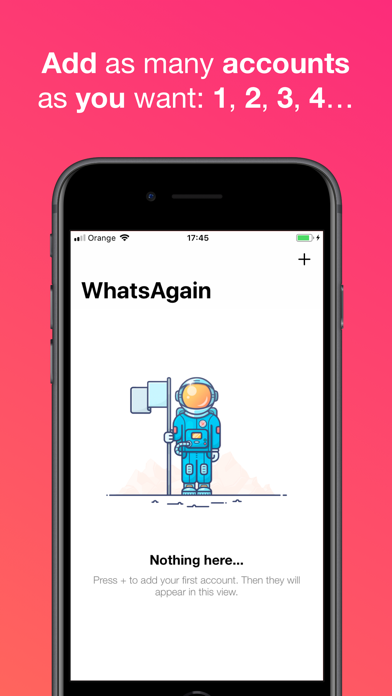
Welcome to WhatsAgain, the application that synchronizes your WhatsApp Web accounts. Yes, you have read well, YOUR ACCOUNTS, in plural, double accounts or multi accounts. And full screen! Read more to learn how to have more than one WhatsApp account on your iPhone, or WhatsApp on iPad, like Whatscan but working xD
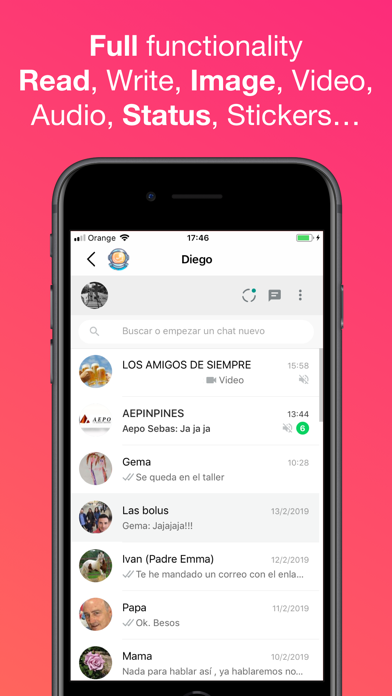
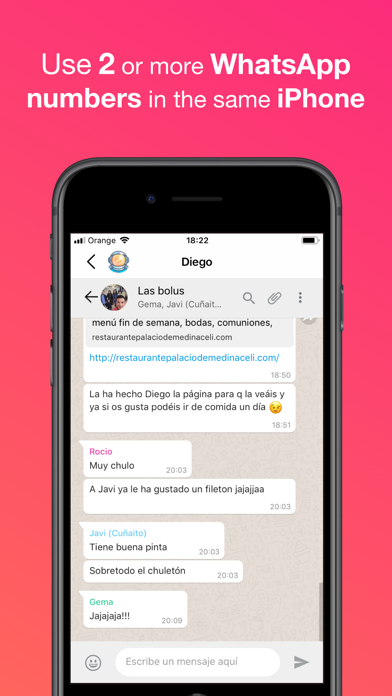
WhatsAgain allows you to access, through WhatsWeb, all the accounts that you have or need to manage. And also, with all the features you already have, like Whatscan but working xD
And, why am I going to need something like that? Well, it's easy. We present to you several scenarios that we use now WhatsAgain.
· I have two or more phones with WhatsApp:
In this case, WhatsAgain, allows you to have all the WhatsApp accounts on the same device. For example, if you have a personal account, a professional account, and another technical support account. With WhatsAgain, you can access them from a single device. Great, right?
How does WhatsAgain work?
WhatsAgain works by pairing the official WhatsApp accounts through the WhatsWeb platform.
How to match a WhatsApp account with WhatsAgain?
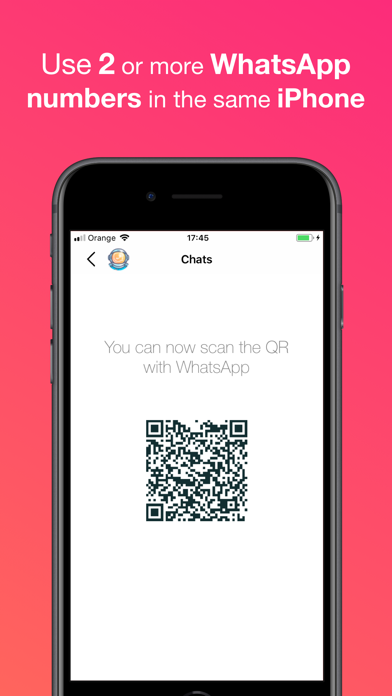
· Open WhatsAgain and follow the steps until you see a QR code on the screen.
· On the mobile with the WhatsApp account, navigate to 'Settings' -> 'WhatsApp Web / Desktop' -> 'Scan QR code'.
· Scan the QR code of the mobile screen with WhatsAgain and wait for the account to load. AND READY!!!
Can I stop using my official WhatsApp account on WhatsAgain?
Yes of course. You simply have to close the session or the WhatsWeb sessions that you want from your WhatsApp app.
SUBSCRIPTION PRICING AND TERMS
You can find all related information in these links:
PGDMobile / iWazowski.com Terms of Service: https://pgdmobile.com/legal/pdf/Terms_of_Service.pdf
PGDMobile / iWazowski.com Privacy Policy: http://pgdmobile.com/legal/pdf/Privacy_Policy.pdf
1) About Subscription:
WhatsAgain offers you the following subscription:
Monthly Membership offers a monthly subscription for $0.99 after a 3-day free trial. After buying this subscription, you will unlock the following features: Send audio messages, you will be able to signin the app with your Google account, you will be able to save your WhatsApp Web session in the cloud, you will be able to open your stored sessions in other device signing in with your Google account.
2) About end of trial and subscription renewal:
This price is for United States customers. Pricing in other countries may vary, and actual charges may be converted to your local currency depending on the country of residence.
Your subscription will be charged to your iTunes Account at confirmation of purchase.
Subscription automatically renews unless auto-renew is turned off at least 24-hours before the end of the current period.
Account will be charged for renewal within 24-hours prior to the end of the current period, and identify the cost of the renewal.
Subscriptions may be managed by the user and auto-renewal may be turned off by going to the u
Frequently Asked Questions
Is WhatsAgain for WhatsApp free?
No, WhatsAgain for WhatsApp costs $3.99.
What is the rating of WhatsAgain for WhatsApp?
WhatsAgain for WhatsApp has a 4.6 out of 5 star rating based on 523 reviews on the Apple App Store.
Who made WhatsAgain for WhatsApp?
WhatsAgain for WhatsApp was developed by PGD Mobile Development S.L.. Visit their website at https://apps.apple.com/us/developer/pgd-mobile-development-s-l/id881849958?uo=2.
Developer
Explore More
Compare WhatsAgain for WhatsApp with...
 WhatsAgain for WhatsApp vs Love Island USA
 WhatsAgain for WhatsApp vs Peacock TV: Stream TV & Movies
 WhatsAgain for WhatsApp vs Kalshi: Trade Football & more
 WhatsAgain for WhatsApp vs MapQuest GPS Navigation & Maps
 WhatsAgain for WhatsApp vs Capital One Mobile
 WhatsAgain for WhatsApp vs Paramount+
Related SOCIAL_NETWORKING Apps


Share & Embed
Use these badges on your website or blog to link back to this app's data.
Rating Badge
<a href="https://apppricinglab.com/app/apple/1447152404"><img src="https://apppricinglab.com/api/badge/rating?store=apple&app=1447152404" alt="WhatsAgain for WhatsApp rating on App Pricing Lab" /></a>Rank Badge
<a href="https://apppricinglab.com/app/apple/1447152404"><img src="https://apppricinglab.com/api/badge/rank?store=apple&app=1447152404" alt="WhatsAgain for WhatsApp ranking on App Pricing Lab" /></a>