
4.8★
134 reviews
2018-04-23
Released
2026-01-05
Last Updated
Rankings
| Category | Collection | Rank | Date |
|---|---|---|---|
| DEVELOPER_TOOLS | top-grossing-ipad | #151 | 2026-03-12 |
| DEVELOPER_TOOLS | top-grossing | #153 | 2026-03-12 |
Screenshots
About SNMP & SSH Terminal
SNMP & SSH Terminal App: Professional SNMP Network Monitoring, robust SSH Terminal, and SFTP file management in One App. Whether you’re managing servers, routers, or network devices, the app gives you real-time insights and secure access.
SNMP Features:
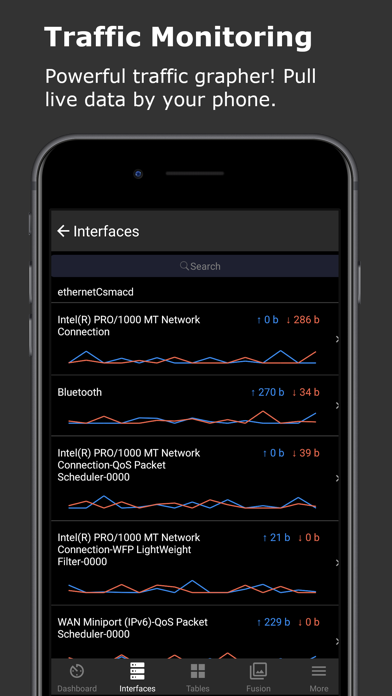
* Real-Time Traffic Monitoring: Retrieve live data from devices like routers and servers, with updates every 3 seconds.
* Multi-Device Management: Manage multiple SNMP devices, grouped by labels. Search by name, host, or labels, and monitor device ping with response time and TTL. Automatically discover network devices.
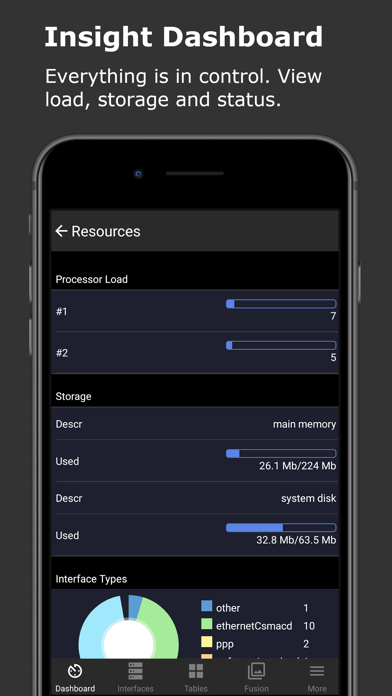
* Dashboard Overview: View system details such as CPU load, uptime, storage size, and usage percentage.
* Network Tables: Access TCP connections with source/destination IPs and ports, UDP connections with local addresses and ports, MAC tables mapping MAC addresses to IPs, and route tables with next hops and destinations.
* Traffic Statistics: Track real-time interface rates with line charts and pie charts, displaying live tx/rx data and averages.
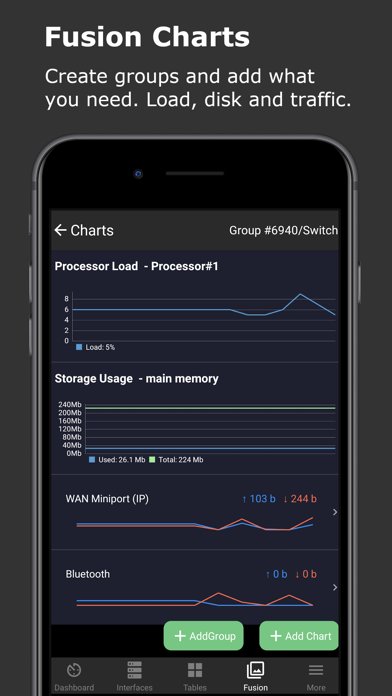
* Fusion Charts: Create customized chart groups to track metrics like CPU load, memory usage, and network traffic.
* SNMP Console: Execute manual snmpget and snmpwalk commands, save favorite commands, and access command history.
* MIB Explorer: Search for MIB/OID information with built-in MIBs, formatted for clarity.
* User-Friendly Interface: Features light and dark themes, enhanced list views, and swipe actions for quick device management. Easily search, sort, and reorder items.
SSH Terminal Features:
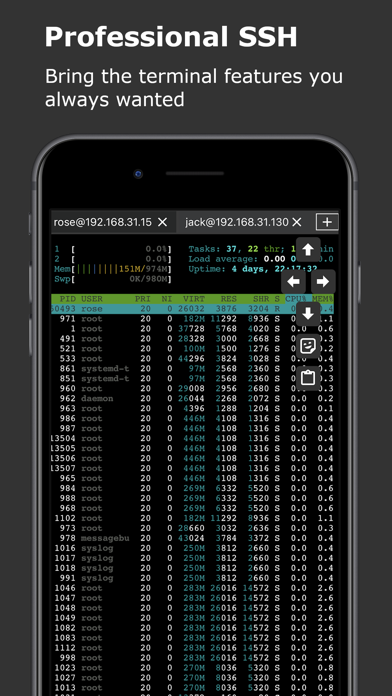
* Multiple Device and Session Support: Manage multiple SSH devices and sessions, easily searchable by labels.
* Secure SSH Connections: Supports SSH jump hosts, Socks5 proxy, and port knocking. Offers password and public/private key authentication for flexible, secure access.
* Advanced Terminal: Optimized for fast, reliable command execution. Full keyboard support for CTRL and arrow keys, along with system clipboard functionality. Use the built-in vi/vim editor for direct file editing.
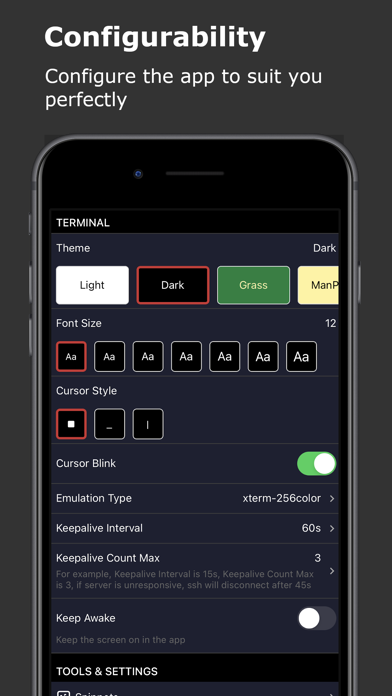
* Terminal Customization: Personalize terminal sessions with configurable themes and font options.
* Snippets for Automation: Save and organize frequently used command snippets, searchable by labels. Run startup snippets automatically when initiating sessions, and batch execute commands across multiple servers.
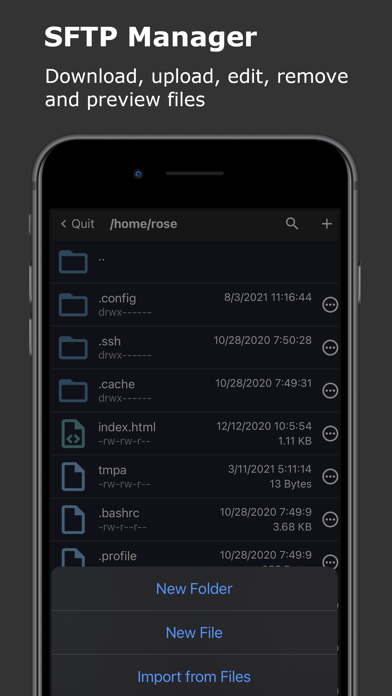
* SFTP File Management: Upload, download, edit, move, and delete files. Real-time file sync without manual refresh functionality. Set file permissions directly in the app.
* Keep Alive & Session Management: Prevent session timeouts during long operations and keep devices awake during critical tasks.
Supported Devices:
* SNMP v2c Protocol: Works with community string-based devices.
* Compatible with Routers: Supports devices from Cisco, Juniper, Avaya, Mikrotik RouterOS, and others supporting SNMP or SSH.
* Compatible with Linux (Ubuntu, Redhat, CentOS, Fedora, etc.), Windows (7, 8, 10, etc.), macOS, and other devices supporting SNMP or SSH.
SNMP &
Frequently Asked Questions
Is SNMP & SSH Terminal free?
Yes, SNMP & SSH Terminal is free to download.
What is the rating of SNMP & SSH Terminal?
SNMP & SSH Terminal has a 4.8 out of 5 star rating based on 134 reviews on the Apple App Store.
Who made SNMP & SSH Terminal?
SNMP & SSH Terminal was developed by 婉媚 邵. Visit their website at https://septudio.com.
Developer
Explore More
Related Developer Tools Apps





Share & Embed
Use these badges on your website or blog to link back to this app's data.
Rating Badge
<a href="https://apppricinglab.com/app/apple/1375270867"><img src="https://apppricinglab.com/api/badge/rating?store=apple&app=1375270867" alt="SNMP & SSH Terminal rating on App Pricing Lab" /></a>Rank Badge
<a href="https://apppricinglab.com/app/apple/1375270867"><img src="https://apppricinglab.com/api/badge/rank?store=apple&app=1375270867" alt="SNMP & SSH Terminal ranking on App Pricing Lab" /></a>