
Professional Camera Pro HD Cam Price Snapshot
Professional Camera Pro HD Cam by Onelight Apps CY Ltd is free to download on the Apple App Store, with no in-app purchases. It holds a 4.6★ rating from 152 reviews.
Listing last updated: 2025-12-22. Source: public Apple App Store data, compiled via the App Pricing Lab methodology.
4.6★
152 reviews
2016-05-19
Released
2025-12-22
Last Updated
Rankings
| Category | Collection | Rank | Date |
|---|---|---|---|
| PHOTO_AND_VIDEO | keyword:camera apps | #133 | 2026-03-12 |
Screenshots

About Professional Camera Pro HD Cam
Try the App Store Editor's Choice manual camera app - make quality RAW photos, take pictures of the moon and edit your photos using unique presets and color settings.
Capture the perfect look for your photos with the next generation image editor MuseCam! Shoot and edit your images using film-emulating presets, pro grade tools, and advanced camera controls.
Discover advanced MuseCam features:
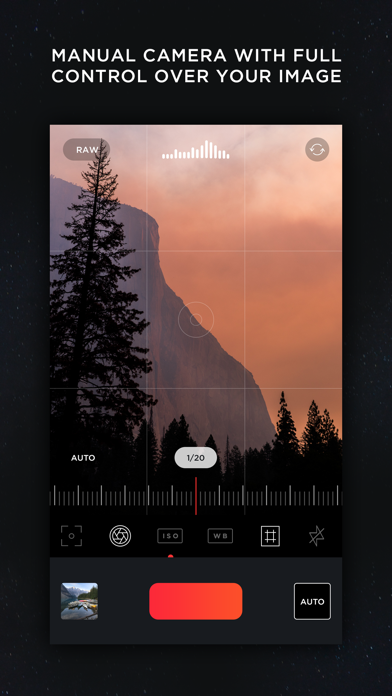
• Manual Camera
Custom exposure for your iPhone camera with independent control of shutter, ISO, white balance & focus.
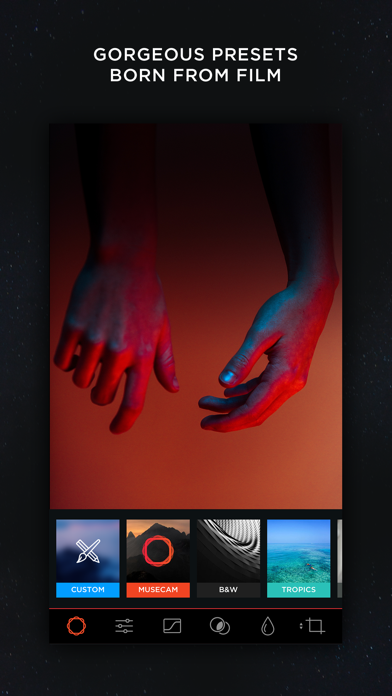
• Gorgeous, Film-Inspired Presets
MuseCam features a superior collection of presets, diverse in nature. Some of the world's finest photographers have contributed their secret formulas that emulate film in a timeless, and beautifully subtle way.
• No-Import Editing
Speed is the name of the game. Forget the slow, multi-tap import process. Your photos are ready to edit right away.
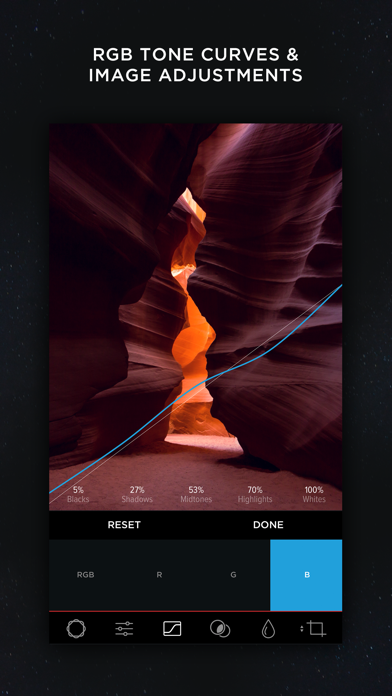
• RGB Tone Curves
Capture the perfect tone with the Curves tool, allowing independent access to the red, green and blue color channels.
• CMYK Tone Curves
Further tweak your photos with precision with independent access to the Cyan, Magenta, Yellow and Black color channels.
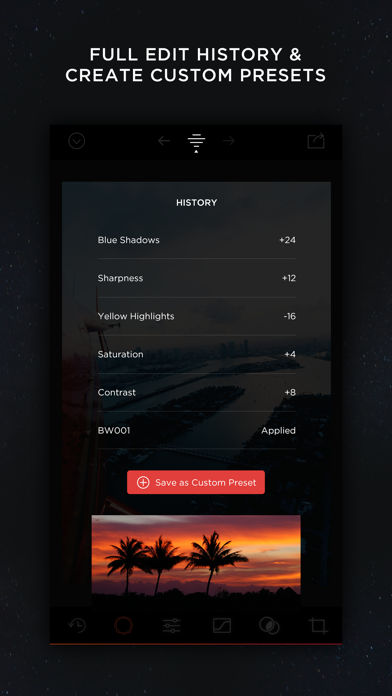
• Create Custom Presets & Filters
Create a custom preset from scratch, or edit existing ones to perfect the look you're after. Quickly apply them to any other photo in your library.
• Color Tool
Adjust the hue, saturation, and luminance of different colors.
• Complete Edit History
MuseCam stores your full edit history, allowing you to come back at any time to make changes to your workflow.
• Split Toning
Infuse color into the shadows or the highlights of your photo, or both.
• Depth of Field Tool
Simulate depth of field by applying a lens blur to your photo. Intensify the blur with multiple swipes, or by taking advantage of Apple’s 3D Touch technology.
• Professional Image Adjustments
Edit every detail on your photo using professional adjustment tools such as exposure, brightness, saturation and more.
Payment will be charged to your Apple ID account at the time of purchase confirmation. Subscription renews automatically unless it is canceled at least 24 hours before the end of the current period. Your account will be charged for renewal within 24 hours prior to the end of the current period. You can manage and cancel your subscriptions by going to your account settings on the App Store after purchase.
Privacy Policy: https://onelightapps.io/privacy-policy
Terms of Use: https://onelightapps.io/terms-of-use
Frequently Asked Questions
Is Professional Camera Pro HD Cam free?
Yes, Professional Camera Pro HD Cam is free to download.
What is the rating of Professional Camera Pro HD Cam?
Professional Camera Pro HD Cam has a 4.6 out of 5 star rating based on 152 reviews on the Apple App Store.
Who made Professional Camera Pro HD Cam?
Professional Camera Pro HD Cam was developed by Onelight Apps CY Ltd. Visit their website at https://www.onelightapps.io/.
Developer
Explore More
Related Photo & Video Apps


Share & Embed
Use these badges on your website or blog to link back to this app's data.
Rating Badge
<a href="https://apppricinglab.com/app/apple/1047340501"><img src="https://apppricinglab.com/api/badge/rating?store=apple&app=1047340501" alt="Professional Camera Pro HD Cam rating on App Pricing Lab" /></a>Rank Badge
<a href="https://apppricinglab.com/app/apple/1047340501"><img src="https://apppricinglab.com/api/badge/rank?store=apple&app=1047340501" alt="Professional Camera Pro HD Cam ranking on App Pricing Lab" /></a>