PDF Maker - Image to PDF
▶️ Google PlayProductivityFreeIn-App PurchasesContains AdsEveryone
4.3★
123.0K reviews
10.0M
Installs
Apr 13, 20
Released
2025-08-31
Last Updated
Rankings
| Category | Collection | Rank | Date |
|---|---|---|---|
| PRODUCTIVITY | topgrossing | #163 | 2026-03-10 |
Screenshots
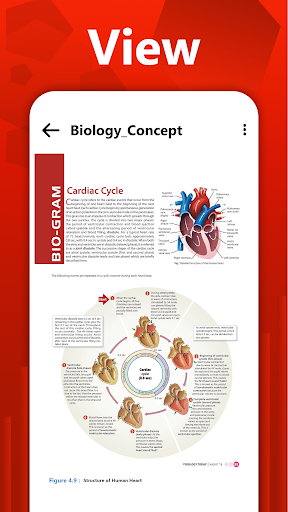
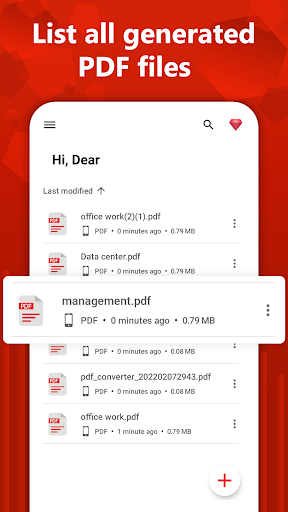
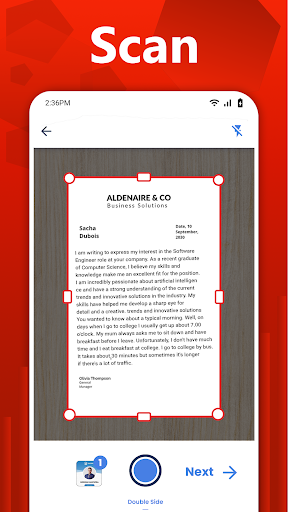
About PDF Maker - Image to PDF
PDF Maker - Image to PDF: Your Ultimate JPG to PDF Converter App!
Are you tired of dealing with cumbersome converters that make the simplest tasks a chore? Say goodbye to those frustrations with Photo To PDF Converter & Editor, the ultimate solution for effortlessly converting your photos into documents.
📷 Image to PDF Converter App Key Features: 📄
🖼️ Powerful JPG to PDF Converter App;
📝 Easy-to-Use Photo to PDF Converter & Editor;
📑 Convert Photo to PDF Document Effortlessly;
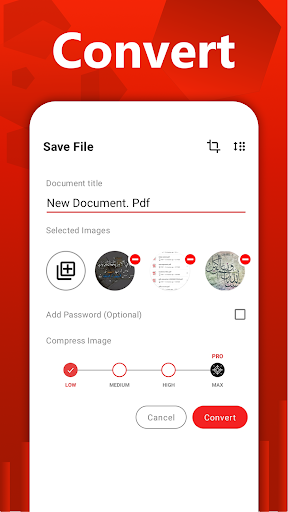
🔒 Protect with Passwords;
🖋️ E-Sign Documents for Added Security;
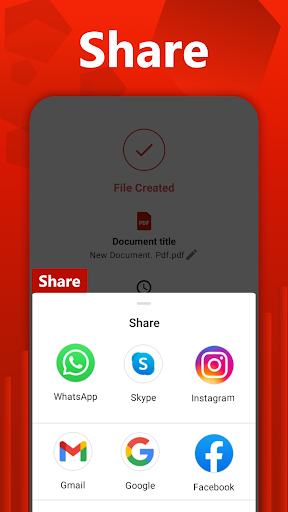
📤 Share with Friends and Family;
🖼️ Image To PDF Converter App:
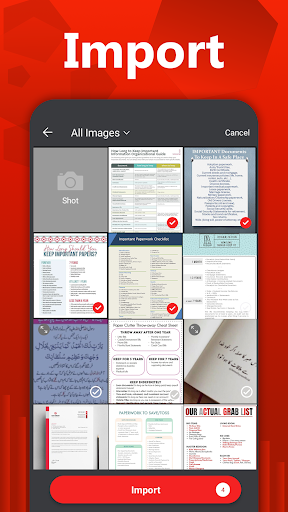
JPG To PDF Converter App - Photo To PDF Converter & Editor allows you to convert your pictures into professional-quality files with just a few taps. Whether selecting images from your gallery or capturing them directly from your camera, this app ensures a smooth conversion process. Choose your photos and let PDF Photos Editor do the rest, transforming them into polished documents ready for sharing or archiving.
🌟 Convert Photo To PDF Documents Instantly!
Whether you need to convert notes, receipts, invoices, forms, business cards, certificates, whiteboards, or any other document, this app has you covered. With its user-friendly interface and powerful features, Jpg To PDF Converter App simplifies the conversion process and offers a seamless experience for all your needs.
🔐 Protect with Passwords:
Secure your sensitive documents with PDF Photos Editor's built-in password protection feature. Set custom passwords to restrict access to your files and ensure only authorized individuals can view or edit them. With this added layer of security, you can have peace of mind knowing that your confidential information remains safe from prying eyes.
🖋️ E-Sign Documents with Ease:
Need to sign a document on the go? Convert To PDF Maker - Image To PDF Converter and Editor has you covered. With its intuitive e-signature tool, you can electronically sign files directly within the app, eliminating the need for printing, scanning, or faxing. Add your signature using your device's touchscreen, and finalize your documents confidently and conveniently.
📤 Share Documents Seamlessly:
Whether collaborating on a project or sharing essential documents with friends and family, PDF Photos Editor makes it easy to distribute files with just a few taps. Share your converted docs via email, messaging apps, or cloud storage platforms, and ensure everyone can access the information they need whenever needed.
✅ Image To PDF Converter app!
With its robust features and intuitive interface, Convert To PDF Maker - Photo To PDF Converter & Editor redefines the conversion experience. Say goodbye to cumbersome converters and hello to effortless creation with PDF Photos Editor. Download the Convert Photo To PDF Document app today and discover a world of possibilities for your digital documents! 📷🔒📄
Offline PDF Converter📚
You can effortlessly convert your images to P
Frequently Asked Questions
Is PDF Maker - Image to PDF free?
Yes, PDF Maker - Image to PDF is free to download. It offers in-app purchases.
What is the rating of PDF Maker - Image to PDF?
PDF Maker - Image to PDF has a 4.3 out of 5 star rating based on 123.0K reviews on the Google Play.
Who made PDF Maker - Image to PDF?
PDF Maker - Image to PDF was developed by Battery Stats Saver. Visit their website at https://repairbatterylife.com/pdfconverter.







