
Projector - TV Cast, HD Mirror
▶️ Google PlayProductivityFreeIn-App PurchasesContains AdsEveryone
4.4★
23.4K reviews
5.0M
Installs
Mar 30, 20
Released
2025-05-08
Last Updated
Rankings
| Category | Collection | Rank | Date |
|---|---|---|---|
| PRODUCTIVITY | topgrossing | #127 | 2026-03-10 |
Screenshots

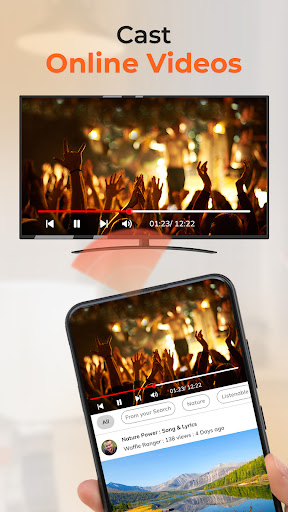

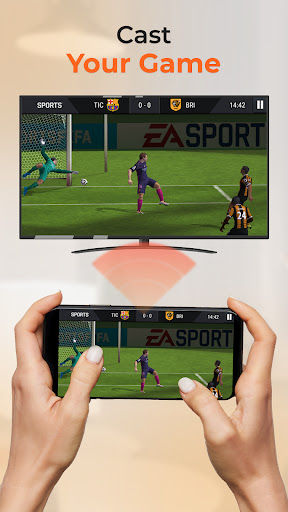
About Projector - TV Cast, HD Mirror
Screen Mirroring App - Projector: Smart Productivity Meets Big Screen Power Transform your phone into a high-performance productivity tool with our Screen Sharing app. Cast to TV easily with just one click.
Whether preparing for a big meeting, studying remotely, or enjoying movie night, this versatile screen-mirroring app lets you share your screen effortlessly on any compatible TV or display. It combines all the best features of screen sharing tools, right in your pocket.
No wires, no stress, tap and screen cast your content in seconds. With powerful cast HD and HD mirror capabilities, everything you present looks sharp, vibrant, and professional. Take your productivity up a notch and enjoy a more immersive screen-sharing experience wherever you go.
💼 Made for Work, Built for Life
Need to present slides at work? Share lesson plans in class? Stream video tutorials? Projector - TV Cast, Screen Mirroring App helps you do all of that with ease. You can instantly mirror your screen using HD mirror mode or screen cast to project files, images, and presentations in real-time. It’s a complete screen mirroring experience powered entirely by your phone.
The lightweight, intuitive interface makes this TV Cast app perfect for everyday productivity. Whether you’re screen mirroring to a smart TV, sharing a demo during a call, or projecting on the go with a friend’s TV, you’ll enjoy smooth, stable streaming through the TV cast and TV mirror features.
🎬 Perfect for Entertainment
With just a tap, you can use Cast HD to stream your favorite shows or movies from your phone to the big screen. Whether it's Netflix with friends or a family slideshow, this screen mirroring app makes sure it looks crystal clear.
Enjoy immersive viewing with the built-in tv mirror mode or go wireless with seamless tv cast functionality. Don’t settle for small screens—enjoy your content how it was meant to be seen.
📲 Feature Highlights:
Ultra-smooth screen cast with minimal lag
High-resolution cast HD and HD mirror technology
Powerful and portable screen cast for work and fun
Stream shows, videos, and presentations with great features
Instant TV mirror support for real-time screen sharing
Reliable TV cast compatibility with all major devices
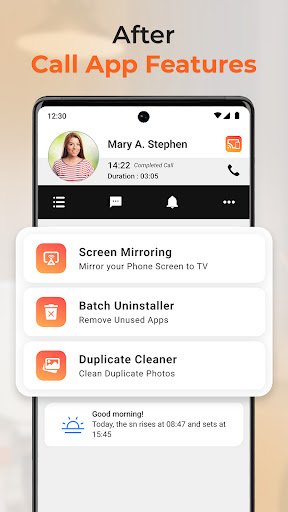
Built-in Caller Info for identifying and blocking spam calls
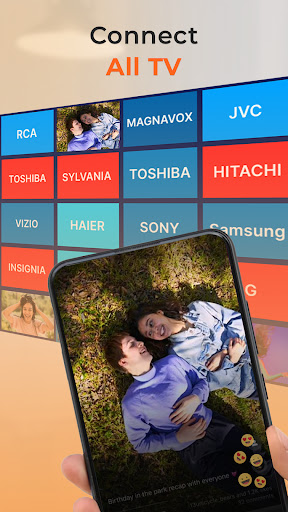
With cross-platform support including Chromecast, Roku, Apple TV, and more, tv cast and tv mirror work effortlessly with your setup. Stay productive during meetings or relax during movie night—all from the same screen mirroring app.
🚀 Why Users Love It:
No cables or adapters are needed—just tap to connect
Dual-purpose app: great for work (presentations) and play (movies)
Beautiful HD mirror visuals and responsive cast HD streaming
Lightweight design and easy controls for on-the-go use
Works flawlessly as a screen-sharing tool.
Stream like a pro with real-time screen cast, TV Cast, and TV Mirror.
✅Get Started Today
Upgrade your productivity and entertainment experience with Pro
Frequently Asked Questions
Is Projector - TV Cast, HD Mirror free?
Yes, Projector - TV Cast, HD Mirror is free to download. It offers in-app purchases.
What is the rating of Projector - TV Cast, HD Mirror?
Projector - TV Cast, HD Mirror has a 4.4 out of 5 star rating based on 23.4K reviews on the Google Play.
Who made Projector - TV Cast, HD Mirror?
Projector - TV Cast, HD Mirror was developed by One Music Player. Visit their website at https://onemusicplayer.com/projectortvcast.







