YouCam Video: AI Video Editor
▶️ Google PlayVideo Players & EditorsFreeIn-App PurchasesEveryone
3.8★
15.8K reviews
1.0M
Installs
Jun 30, 20
Released
2026-03-03
Last Updated
Rankings
| Category | Collection | Rank | Date |
|---|---|---|---|
| VIDEO_PLAYERS | topgrossing | #27 | 2026-03-10 |
Screenshots



About YouCam Video: AI Video Editor
◇◇◇The Ultimate AI Video Editor & Maker.◇◇◇
🎬 Create viral videos in seconds with YouCam Video!
🚀 Join millions of creators, influencers, and businesses using the world’s most advanced AI video app. Whether you are retouching a selfie vlog, generating cinematic scenes from text, or simply trimming a clip, YouCam Video makes content creation effortless.
🎬 Powerful All-In-One Video Editor
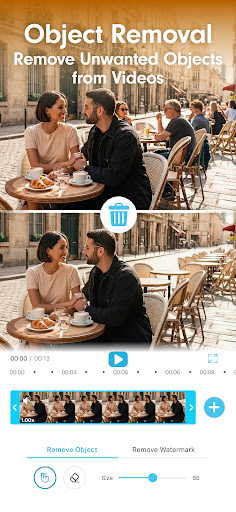
◇ AI Video Editor: One tap green screen, background replacement, object removal, and instant scene changes.
◇ Enhance Voice: Automatically enhance human voices for clearer speech, reduce background noise, and deliver a cleaner listening experience.
◇ Cut, Trim & Merge: Precisely trim unwanted footage, merge clips, and split videos with frame-by-frame accuracy.
◇ Speed Control: Create dramatic slow-motion effects or energetic time-lapses. Adjust video speed from 0.12x to 5.0x.
◇ Video Transitions: Choose from 100+ cinematic transitions (Fade, Zoom, Glitch, Dissolve) to make your cuts flow smoothly.
🎬 Viral Reel Maker & TikTok Editor
◇ Auto Captions (Subtitles): Automatically generate accurate captions for your talking videos. Keep viewers engaged even with sound off.
◇ Trending Templates: Access viral effects in one tap.
◇ AI Music Generator: Create unique, royalty-free soundtracks that match your video's mood.
🤖 Next-Gen AI Video Generator
Experience the future of video production. Powered by the industry's top models (Sora, Kling, Runway, Veo, Vidu), our AI video generator turns imagination into reality.
◇ Text/Image-to-Video: Turn prompts or static photos into high-quality cinematic footage.
◇ AI Video Editor: Use text or reference images to modify outfits, scenes, and styles directly on your original video.
◇ AI Style Transfer: Instantly transform footage into Anime, Manga, or 3D Cartoon styles.
🎬 New! AI Video Expansion & Video Outpainting
◇ Instantly expand your video’s borders beyond the original frame.
◇ Seamlessly convert horizontal YouTube clips into vertical TikToks or Reels without cropping out key details. Let AI intelligently fill in the missing background to fit the 9:16 frame perfectly.
◇ Accidentally framed your shot too tight? Use AI frame expansion to add breathing room around your subject.
💄 Pro-Level Face Retouch & Makeup
◇ Face Reshape & Smooth: Remove blemishes, smooth skin, conceal dark circles, and refine jawlines while keeping texture natural.
◇ Virtual Makeup: Apply realistic lipstick, eyeshadow, blush, and lashes that stay perfectly tracked to your movement (AR Tracking).
🎬 Video Enhancer & Quality Booster
◇ HD Upscaling: Fix blurry, low-res footage instantly. Convert old videos to High Definition.
◇ Noise Reduction: Clean up grainy night shots for a crisp, professional finish.
◇ Color Correction: Auto-adjust lighting, contrast, saturation, and temperature for cinematic vibrancy.
🎬 Perfect for every Video Creator
◇ Vloggers: Retouch selfie videos and add auto-captions for daily updates.
◇ Influencers: The fastest reel m
Frequently Asked Questions
Is YouCam Video: AI Video Editor free?
Yes, YouCam Video: AI Video Editor is free to download. It offers in-app purchases.
What is the rating of YouCam Video: AI Video Editor?
YouCam Video: AI Video Editor has a 3.8 out of 5 star rating based on 15.8K reviews on the Google Play.
Who made YouCam Video: AI Video Editor?
YouCam Video: AI Video Editor was developed by Perfect Mobile Corp.. Visit their website at https://www.perfectcorp.com/consumer/apps/ycv.