4.8★
24.8M reviews
500.0M
Installs
Nov 27, 20
Released
2026-03-12
Last Updated
Rankings
| Category | Collection | Rank | Date |
|---|---|---|---|
| ART_AND_DESIGN | topselling_free | #1 | 2026-03-10 |
| ART_AND_DESIGN | topgrossing | #1 | 2026-03-10 |
Screenshots




About Canva: AI Photo & Video Editor
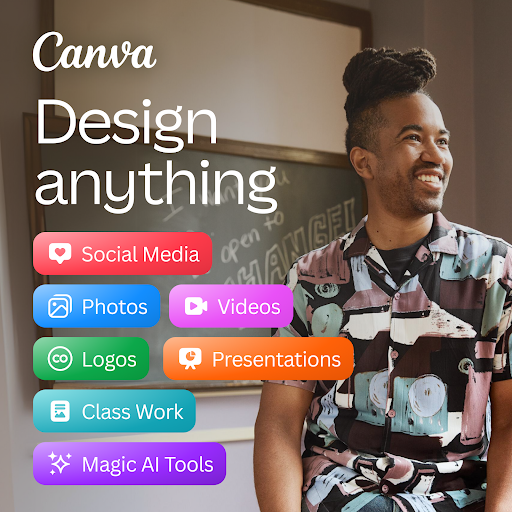
Canva is your free photo editor, logo maker, collage maker, and video editor in one editing app! Design digital art faster with powerful magic AI tools built-in, like the AI image generator that allows you to transform text to image in just a few minutes Make stunning social media posts and reels, presentations or flyers, create logos, CVs, photo collages and video collages from customizable templates.
Edit photos & design anything with the AI art generator🖌️: Video editor, collage maker, meme maker, CV maker & logo maker – Canva is a simple & easy content creation app for anyone! 🎨
Canva features: AI art generator, photo editor and video maker
• Facebook posts, Instagram layout designs, banner maker, Instagram post-maker & Instagram reels maker.
• Professional invitation maker, flyers & resume templates.
• Display data with templates, presentations & slideshow maker.
AI EDITING APP 📷 – free, no ads, no watermarks
• Image editor to crop, flip, & edit photos. Background eraser and blur editor.
• Picture editor to adjust brightness, contrast, saturation, etc.
• Auto Focus to sharpen photo subject & blur background.
• Add text to photos in the picture editor.
• Use the photo grid, photo filters, photo layout & photo collage maker to create digital art.
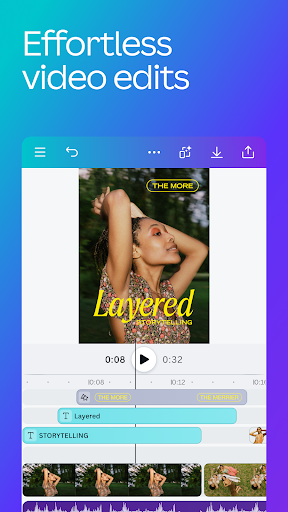
AI VIDEO EDITOR 🎥 – create videos in a few taps
• Produce professional videos in the video editor with 5GB of cloud storage and real time collaboration.
• Explore video layout & audio tracks in the video maker.
• Crop, resize, and flip videos & images in the video editor.
• Easy video editing: Make images move with one-tap animations & page transitions in the video maker.
• Apply effects like slow motion and reverse playback, add subtitles to a video collage, or a new background to your green screen video.
• Magically sync edits to music with Beat Sync, for quick video editing
• Automatically translate captions to over 100 languages
• Add your favorite music tracks via Popular music* (regional restrictions apply)
SOCIAL MEDIA 📱 – make and match trendy content & graphic designs
• Design for Instagram, Snapchat, Facebook, YouTube or LinkedIn.
• Plan posts with Scheduler [Canva Pro].
• Use our banner maker for thumbnails & ads.
• Collage maker, picture editor & video maker to create photo grids & collages.
FREE CONTENT LIBRARY – over 2M+ assets
• 2M+ royalty-free images & photo filters
• Thousands of watermark-free videos to use in the video editor
• 25K+ pre-licensed audio & music tracks
• Add text on pictures in the photo editor with 500+ fonts & effects
• Or create your own images with our magic Text to Image tool
AI MAGIC BUILT-IN ✨ – Bringing magic and ease of use to your designs
We’ve supercharged design across the Visual Suite with incredible magical AI-powered capabilities. Including;
• Magic Design - Upload an image and let Canva make designs for you
• Magic Edit - Swap, or add anything to your existing images
• Translate - Automatically translate designs in 100+ languages
• Ma
Frequently Asked Questions
Is Canva: AI Photo & Video Editor free?
Yes, Canva: AI Photo & Video Editor is free to download. It offers in-app purchases.
What is the rating of Canva: AI Photo & Video Editor?
Canva: AI Photo & Video Editor has a 4.8 out of 5 star rating based on 24.8M reviews on the Google Play.
Who made Canva: AI Photo & Video Editor?
Canva: AI Photo & Video Editor was developed by Canva. Visit their website at https://www.canva.com/.