Authenticator 2FA & Password
SUNMARE DIGITAL TEKNOLOJI YAZILIM SANAYI TICARET
▶️ Google PlayToolsFreeIn-App PurchasesEveryone
3.4★
11.5K reviews
500.0K
Installs
May 31, 20
Released
2026-03-10
Last Updated
Rankings
| Category | Collection | Rank | Date |
|---|---|---|---|
| TOOLS | topgrossing | #176 | 2026-03-10 |
Screenshots


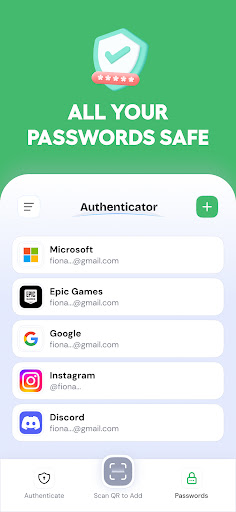
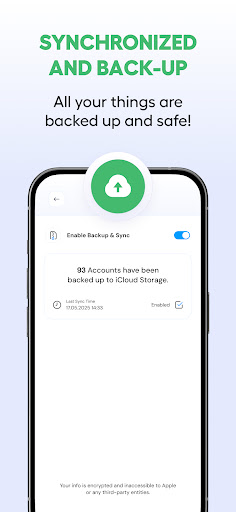
About Authenticator 2FA & Password
Authenticator App – Password, authenticator designed for 2FA and strong password security. This app helps you keep logins safer with fast setup, reliable codes, and a clean, lightweight experience.
Two factor authentication is one of the simplest ways to improve account security. With 2FA, your login requires more than a password it also needs a rotating code. Authenticator App – Password uses TOTP (time-based one-time password) technology to generate time-sensitive codes that refresh automatically. These TOTP codes help protect your accounts even if a password is exposed, reducing the risk of unauthorized access.
Scan a QR code to add an account and enable 2FA in seconds. From then on, open the authenticator, copy your 2FA code, and confirm your sign-in. Many services call it 2FA, MFA, or two factor authentication, but the goal is the same: safer access using a second step. If a platform supports TOTP, this 2FA authenticator generates the TOTP codes you need. You can also add accounts manually, label them clearly, and keep each passcode organized for smoother daily use.
Use the built-in password generator to create strong, complex, unique credentials. A strong password should be long, hard to guess, and never reused. Reusing the same password across multiple accounts increases the chance that one breach leads to many. With Authenticator App – Password, you can generate a new password, then pair it with 2FA for better protection. The combination of password + 2FA (or two factor authentication) is a practical security baseline for everyday life.
Modern sign-ins are also shifting toward passkey access. When a service supports passkey login, you can adopt passkey sign-in for a smoother, more secure experience. Some services still request a one-time code or passcode for sensitive actions, which is where your authenticator remains essential. Keep your passkey routine organized, and keep 2FA codes available as a fallback. Whether you use a password, a passkey, or both, your authenticator keeps the codes ready when needed.
This app is built for speed when you’re in the middle of a login. Open the authenticator, find the account, tap to copy the code, and move on. The UI is simple and stable so you can read each passcode quickly and avoid mistakes before a 2FA code expires. If you manage many accounts, Authenticator App – Password helps you keep every 2FA code, TOTP code, and verification code easy to access.
If you think in terms of MFA, this app fits right in. MFA and two factor authentication are often used interchangeably. The practical result is the same: a password plus an extra code. Use MFA / 2FA for email, social, cloud tools, and any account you care about. A simple rule: use a strong password, enable 2FA, and rely on your authenticator for your daily codes and passcode flow.
Privacy matters. Authenticator App – Password is designed to minimize data collection and keep your 2FA workflow on your device. Your authenticator entries, TOTP co
Frequently Asked Questions
Is Authenticator 2FA & Password free?
Yes, Authenticator 2FA & Password is free to download. It offers in-app purchases.
What is the rating of Authenticator 2FA & Password?
Authenticator 2FA & Password has a 3.4 out of 5 star rating based on 11.5K reviews on the Google Play.
Who made Authenticator 2FA & Password?
Authenticator 2FA & Password was developed by SUNMARE DIGITAL TEKNOLOJI YAZILIM SANAYI TICARET. Visit their website at https://sunmaredijital.net/.